Managing Dietary Restrictions
Written By Edith Henry
Last updated 4 months ago
If you have an event where you will need to track your guests’ dietary restrictions, then you will love these user-friendly workflows we’ve built for just that reason!
Be default, every event starts with the “Dietary Restrictions” field enabled on your guest’s registration form.
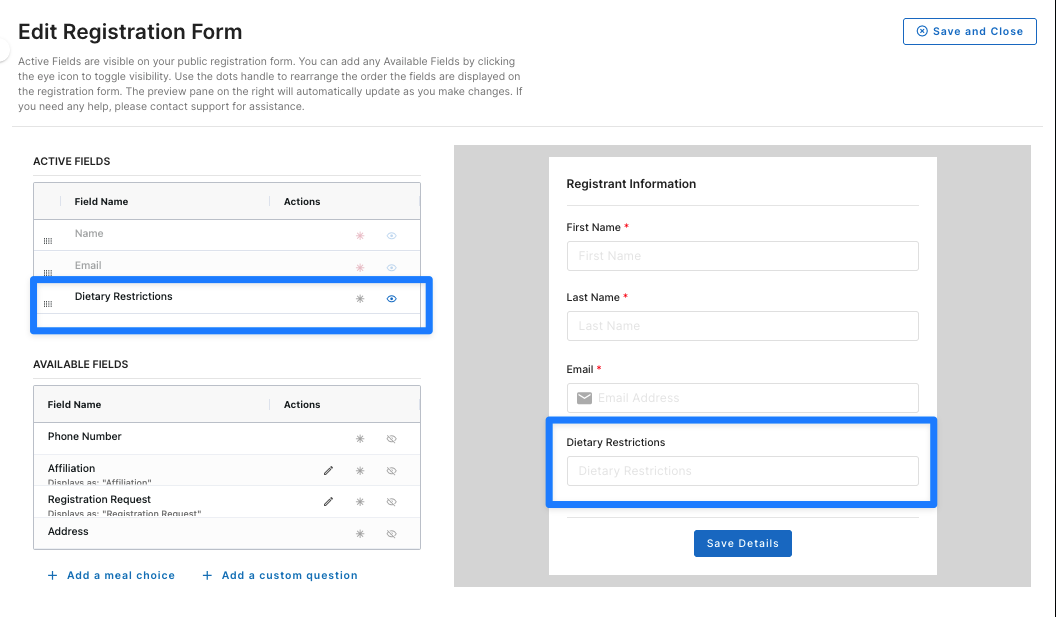
This is a separate question from that created during the “Add a meal choice” workflow, where you can actually specify and describe what entrees you’ll be offering. The dietary restrictions field can be used either by itself or in conjunction with the “Add a meal choice” options.
Pro Tip!
We recommend that you do not make the dietary restrictions field required—not all guests have dietary restrictions and making this a required field forces them through the extra hassle of having to type in “None” or “N/A.” Not only does this create extra hassle for your guests—but it also creates extra work for yourself, too! Now you will have to manually sort through all the required “filler” answers instead of being able to quickly and easily see only the true dietary restrictions that you truly need to be aware of.
How to Monitor Dietary Restrictions
As guests begin filling in their dietary restrictions, you’ll be able to monitor those throughout the platform, depending on what dashboard you are working from.
Manage Registrants: Guest List
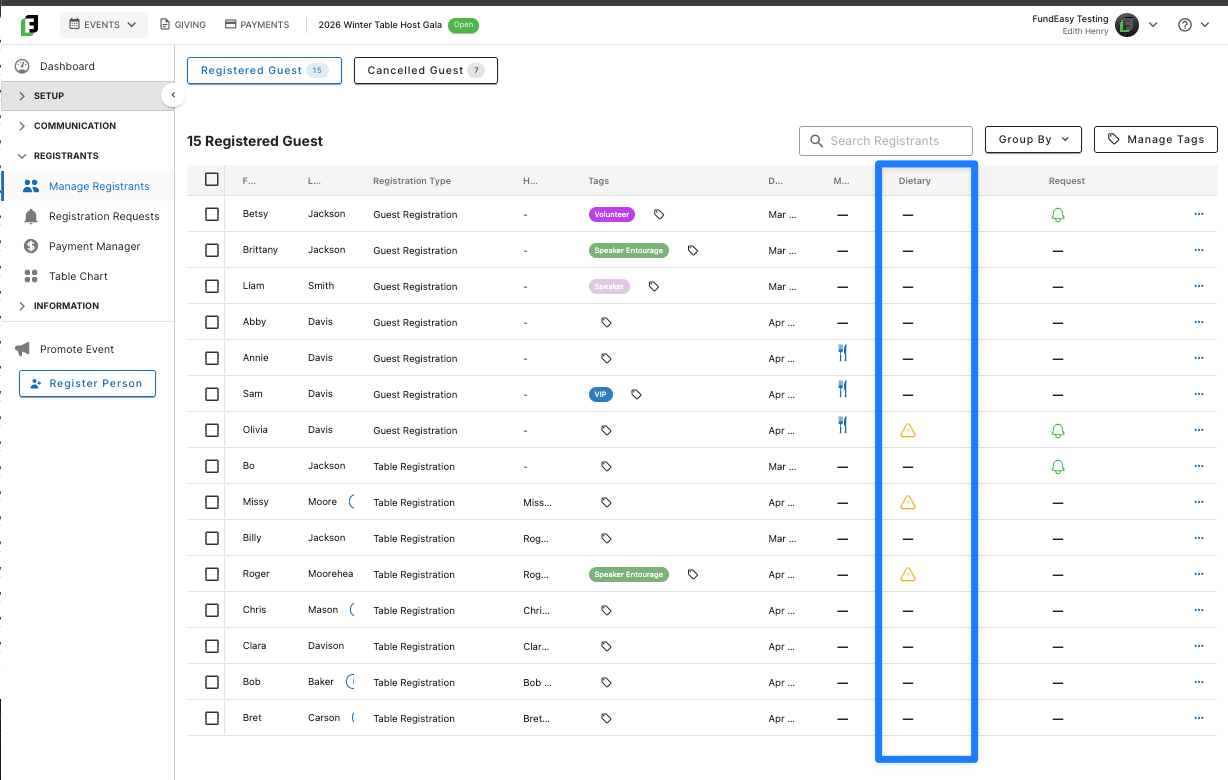
In Manage Registrants, you’ll be able to quickly see—through the use of a yellow triangle icon—which of your registrants has submitted a dietary restriction.
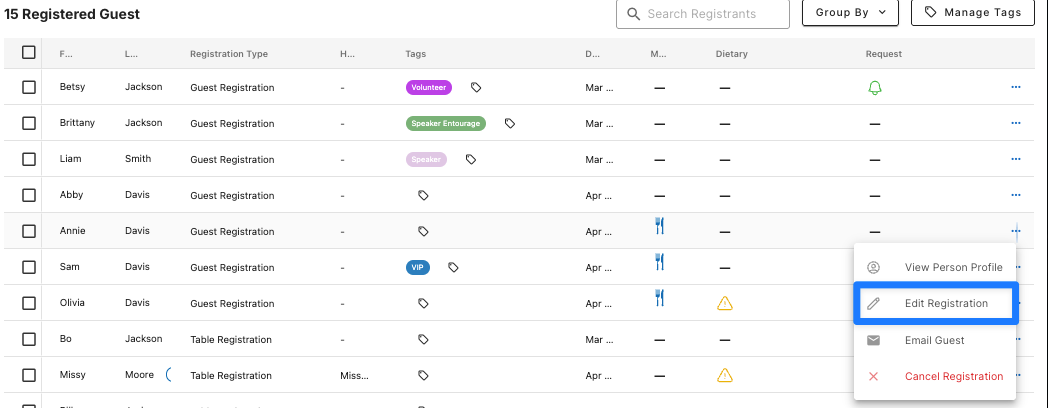
Additionally, if someone contacts you after their registration and lets you know of an additional dietary restriction, you can quickly add that on their behalf using the ellipsis menu on the right and selecting “Edit Registration.”
Reports and Exports: Meal Choice Report
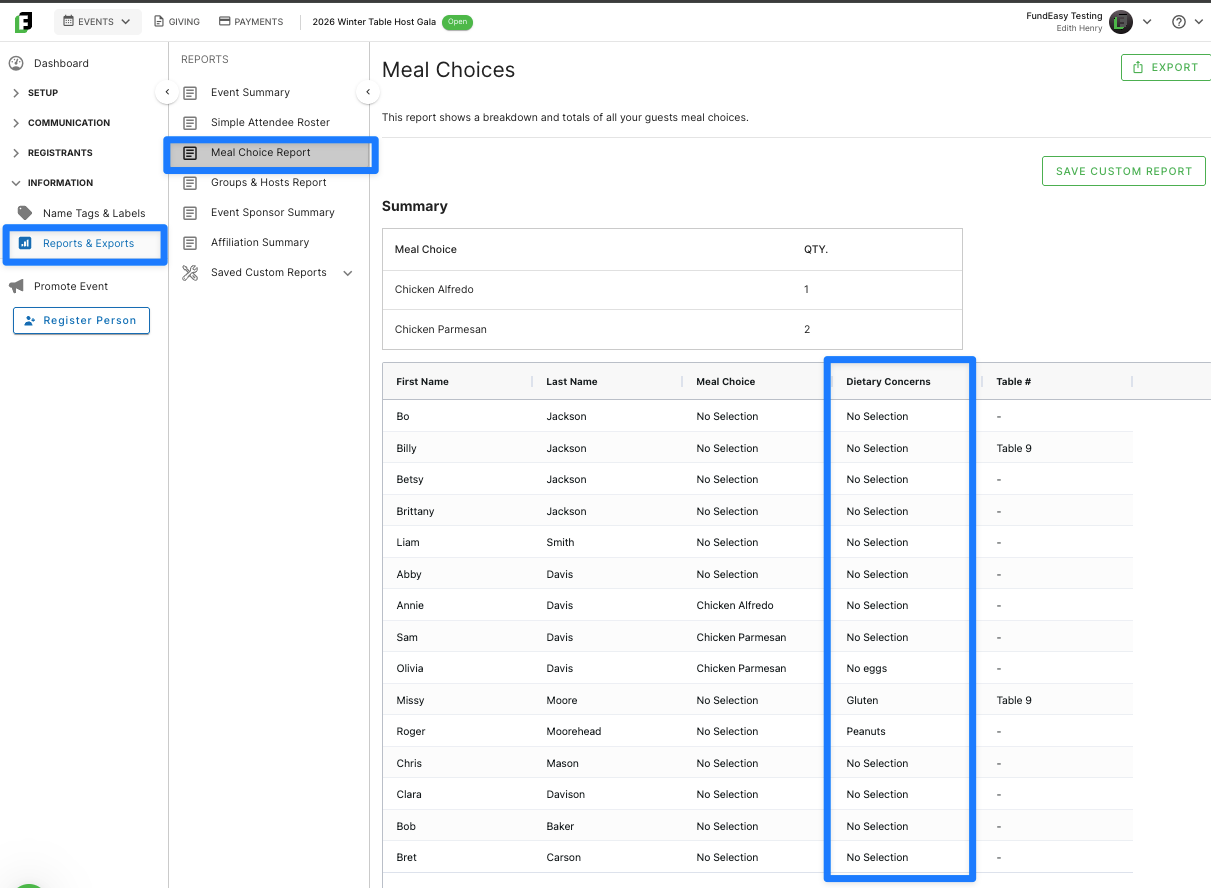
The other major place you’ll be able to see dietary restrictions is in our Meal Choice Report template—simply navigate to this report at any time and see what restrictions are being logged by your registrants.
You can even sort or filter the report by the Dietary Concerns column to quickly see what kinds of allergies and sensitivities to expect.