Attendance Goal vs. Event Capacity: What's the Difference?
Written By Edith Henry
Last updated 4 months ago
In the Event Setup flow, users have the option to set both an Attendance Goal and an Event Capacity. Both are optional, but both can help you manage your event more successfully.
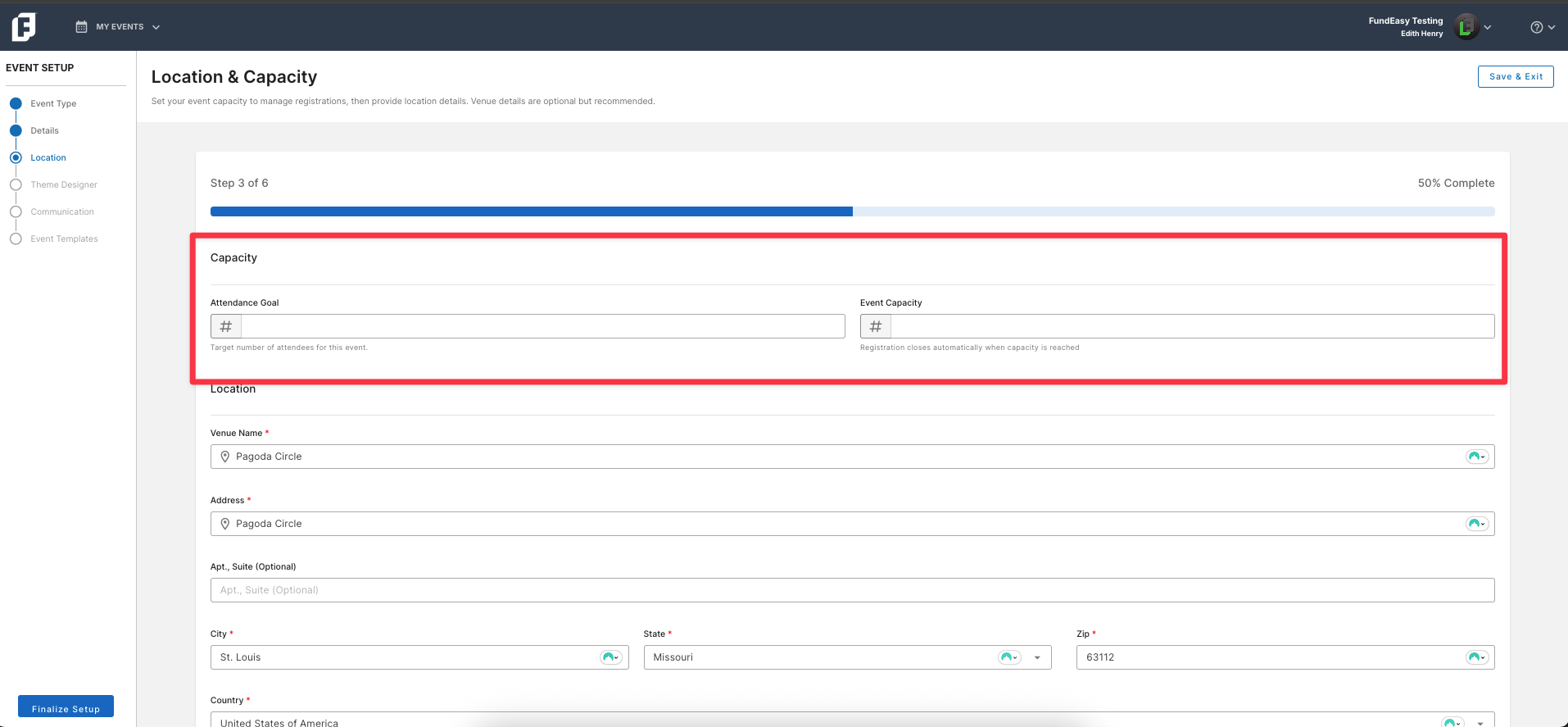
So what’s the difference? How do you know which one to use (or if you should use both)?
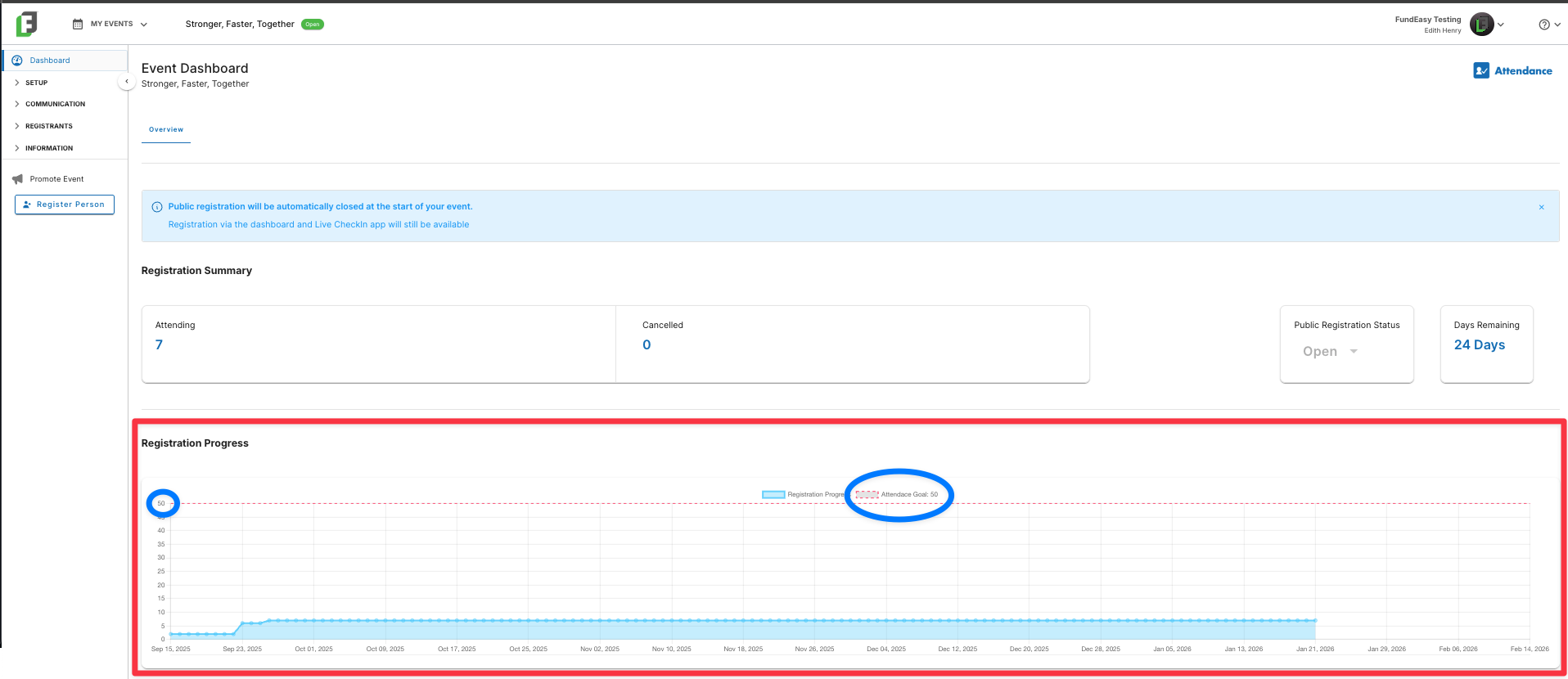
The Attendance Goal: Your Registration Progress Meter
The Attendance Goal is the target number of registrations that you would like to successfully complete for this event. For example, maybe last year you had 256 people register; but this year you want to increase that and have at least 300 people register.
Once you select this number, you’ll be able to visually track your progress every time you log onto your event dashboard. The dotted red line will remind you of your registration goal, and you’ll be able to quickly see how close you are to hitting that goal with the remaining days in your registration period.
The Event Capacity: Your Registration Safeguard
Unlike your Attendance Goal, the Event Capacity is a hard cutoff number. For example, if your venue can only hold 125 people, you do not want to end up in a situation where you have inadvertently booked 140 and now you have no place to put them!
When to Use
Setting an Event Capacity allows you to set a hard limit on the number of attendees. This puts an additional safeguard in place to make sure your registration automatically stops once you can’t accept any more guests.
Registration will close automatically once the capacity is reached, even if the registration period is still open.
When to Not Use
If you have an event with an unlimited capacity (such as, an outdoor gathering where “the more the merrier” is your motto), then just leave the event capacity blank and the registrations will be controlled entirely by your registration window, not a specific number.
How The Tools Work Together
For many events, the Attendance Goal and Event Capacity may be the same number. Setting an Attendance Goal provides a visual guide on your dashboard to help you track progress, while entering the same number as your Event Capacity ensures that registration automatically closes once your target is reached.
However, you do not have to use the same number for both your Attendance Goal and your Event Capacity. Here are a couple examples where the numbers could differ.
Last year, your event had 100 registrations. This year, your Attendance Goal is to increase that number by at least 10%, so that you reach at least 110 total registrations. Meanwhile, your confirmed venue has a rigid Event Capacity of 125. If registrations are booming, you want to rest easy knowing that an automatic safeguard will protect your event from being overbooked. You set your Attendance Goal as 110, but you set your Event Capacity at 125.
You are running an event with no Event Capacity, because your goal is simply to register as many people as possible! However, you want to be able to track your registration progress towards your target number of 250 registrations. You set the Attendance Goal as 250, but you leave the Event Capacity blank.