Account Level Tools
Written By Edith Henry
Last updated About 2 months ago
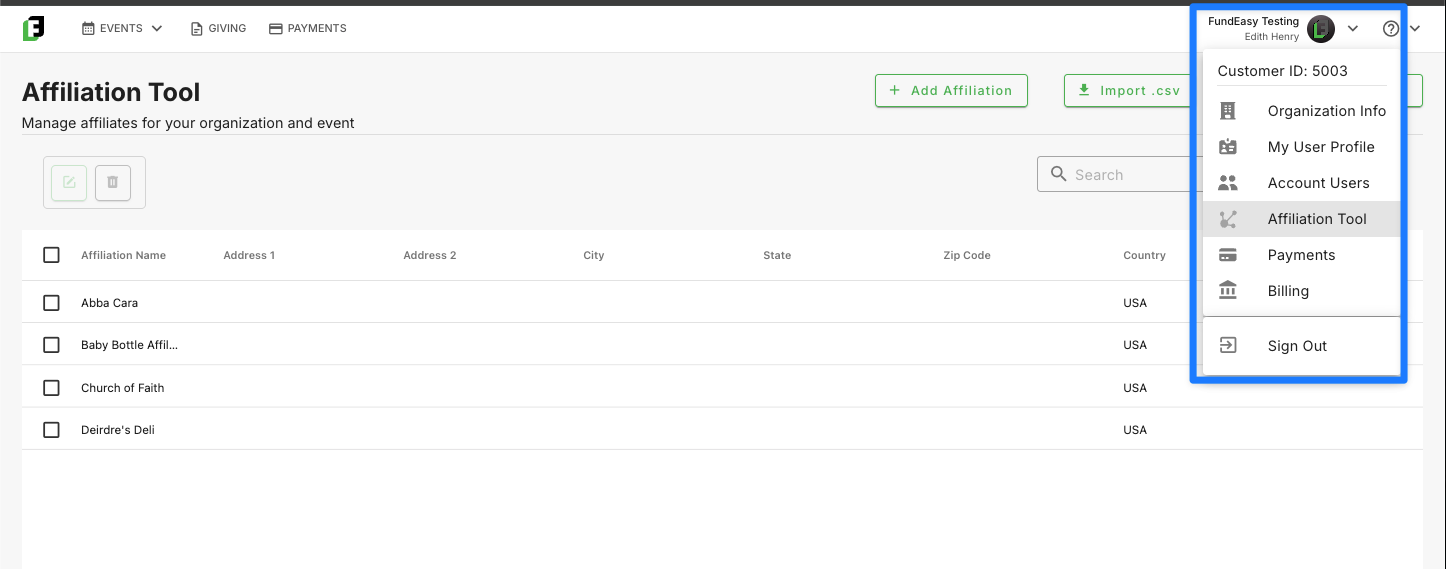
Organization Info
The Organization Info tool is where you can view and manage the core details of your organization. This includes key information such as your organization’s name, contact details, and other foundational settings used across the platform. Keeping this information up to date ensures that communications, receipts, and account-related details accurately reflect your organization. This tool serves as the central source of truth for how your organization is represented within the system.
This is also the place where you can manage key information such as your website link, program description, and tax-exempt status.
My User Profile
Your My User Profile page is where you can view and manage your personal account information. Here, you can update details such as your name, email address, and phone number to ensure your account remains up to date. It serves as your central place for keeping your personal information accurate within the platform.
Account Users
The Account Users tool is where you can manage all users associated with your account. From this page, you can quickly view a list of active users, invite new team members, and remove users when access is no longer needed. It also provides a simple way to support common account management needs, such as initiating password resets for users who are unable to sign in. Designed to keep access control straightforward and organized, this tool helps you maintain the right level of access for your team at all times.
To learn more about adding additional users and managing their logins, refer to https://helpcenter.fundeasy.com/en/help/articles/3133088-adding-users-to-your-account
Affiliation Tool
The Affiliation tool helps you manage and understand the relationships between people, organizations, and the events, teams, or campaigns they’re connected to. It allows you to reflect real-world connections—such as a registrant associated with a specific church/school, or a guest belonging to a specific organization.
Overall, the Affiliation tool provides a structured way to organize and leverage the relationships across your network, helping you gain deeper insights and take more informed action.
To learn more about managing your affiliation list, refer to https://helpcenter.fundeasy.com/en/help/articles/9504625-the-affiliations-tool
Payments
The Payments shortcut provides quick access to your account's master transaction log. From here, you can review payment activity across all your events, sponsorships, and giving pages. You’ll also be able to filter and export payment data for reporting or reconciliation.
Since this dashboard is also available from the main Payments navigation menu, this shortcut simply provides another convenient way to access the same information.
Billing (Coming Soon!)
The Billing page is where you can view and manage all aspects of your subscription in one place. It’s designed to give you clear visibility into your current plan, upcoming charges, and payment details. This is also the best place to add or update the payment method on file to ensure your subscription continues without interruption.