Adding Payment Fields to a Registration Type (Guest or Host)
Written By Edith Henry
Last updated 4 months ago
For any pay-to-attend event, it's super easy to add a price to any guest registration or host option.
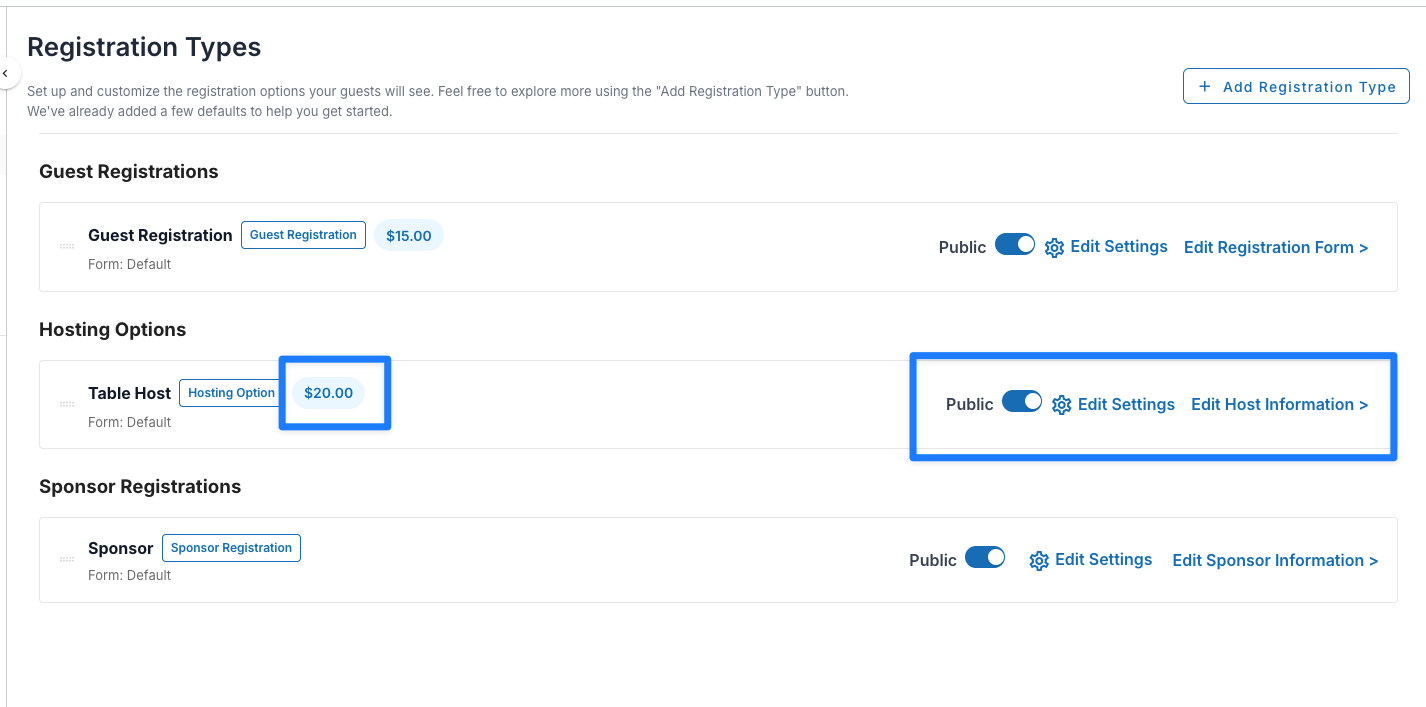
As soon as you complete your event setup, you’ll be taken directly to your Registration Setup dashboard. At first, the default registration options will all display the “Setup Registration Type”—we want to make sure your pricing and other selections are confirmed before you can edit the form and turn it live.

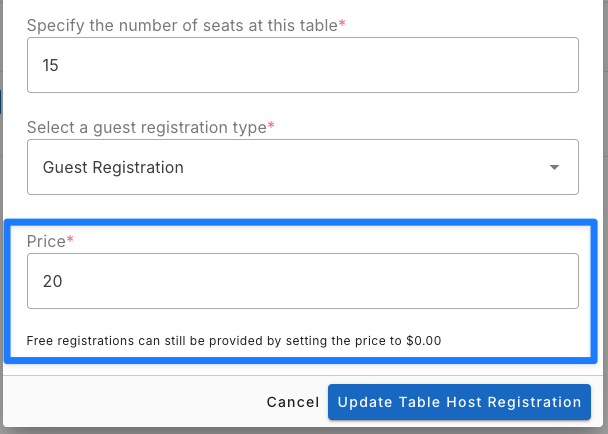
All you have to do is simply go into the “Setup Registration Type” modal (or, subsequently, the “Edit Settings” modal), and the system will allow you to designate a price for this ticket type.
This one, you’ll see all the regular options appear again (the visibility toggle, the edit option, and the “Edit Registration Form” option. There’s also a new pricing badge to remind you quickly at a glance what the cost of each particular ticket is.