Managing Cancellations for Pay-to-Attend Events (With or Without Refunds) from the Main Guest List View
Written By Edith Henry
Last updated 4 months ago
This documentation outlines the process for handling guest cancellations in a paid-to-attend event system, with or without refund workflows.
Cancelling with Refund
At times, you might have a guest who's cancelling, and you might want to issue a refund from your guest list during the process of cancelling them.
To initiate the refund process from the Guest List dashboard, simply begin to cancel the registration (same as for a Free-to-Attend Event).
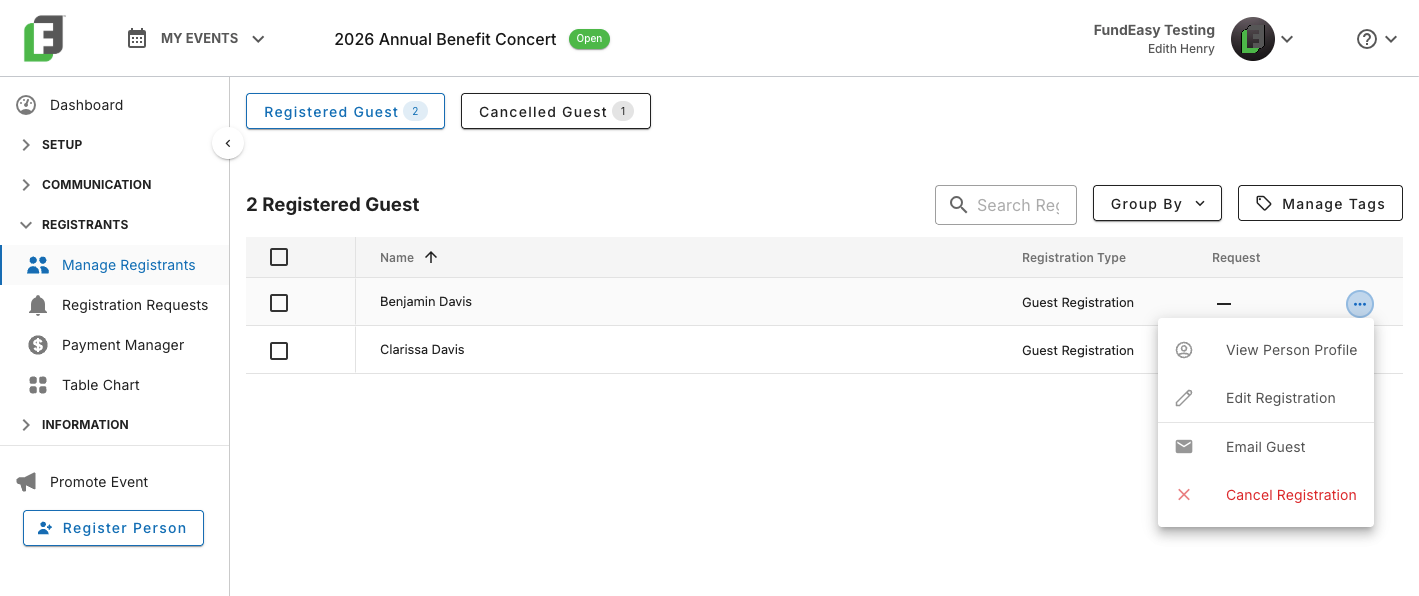
As you complete the cancellation, you will receive a prompt asking you to confirm your selection and also indicate whether to initiate a refund.
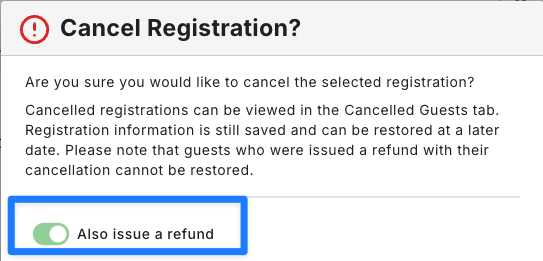
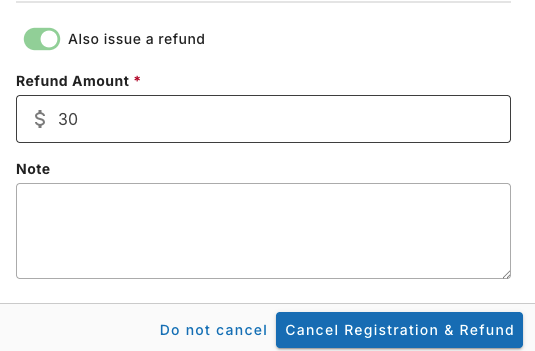
Turning on the toggle will automatically show you the total amount associated with this order (note: if this guest registered with other people, then the auto-populated amount will be the total amount paid at checkout, including for other guests. You can choose to refund the entire order or just a custom amount (the refund amount is an editable field). Optionally, you can enter an administrative note to chronicle why you initiated this refund.
Cancelling with No Refund
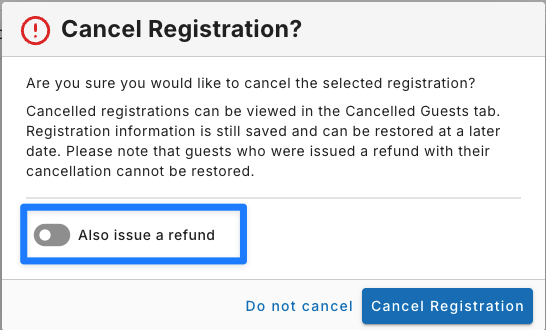
In some cases (such as where a guest cancels last minute after costs including meal costs or bookings have already been incurred), you may choose to cancel without issuing a refund. In this case, simply cancel the guest's registration without selecting the refund option. Leaving the toggle off will cancel the registration, but no money will be refunded.