Managing Pledges for Your Fundraiser
As a Peer-to-Peer fundraiser, you can track and manage pledges made in support of your fundraising efforts. Keeping your pledge records up to date helps you stay on top of outstanding commitments and accurately track your progress toward your fundraising goal.
Access Your Fundraising Dashboard
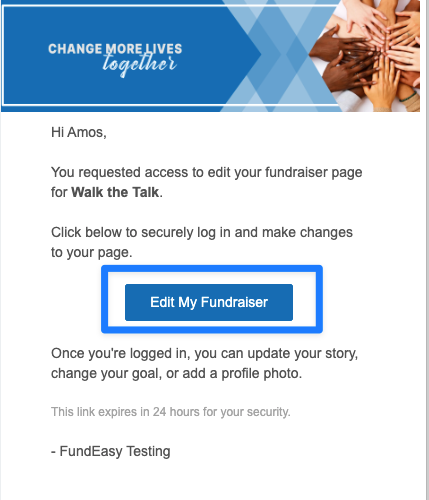
After registering for an event, you'll receive an email containing a Manage My Fundraisers link.
Use this link to access your fundraising dashboard, where you can:
View your fundraising goal
Track your fundraising progress
See donations you've already received
Monitor outstanding pledges
View Your Pledges
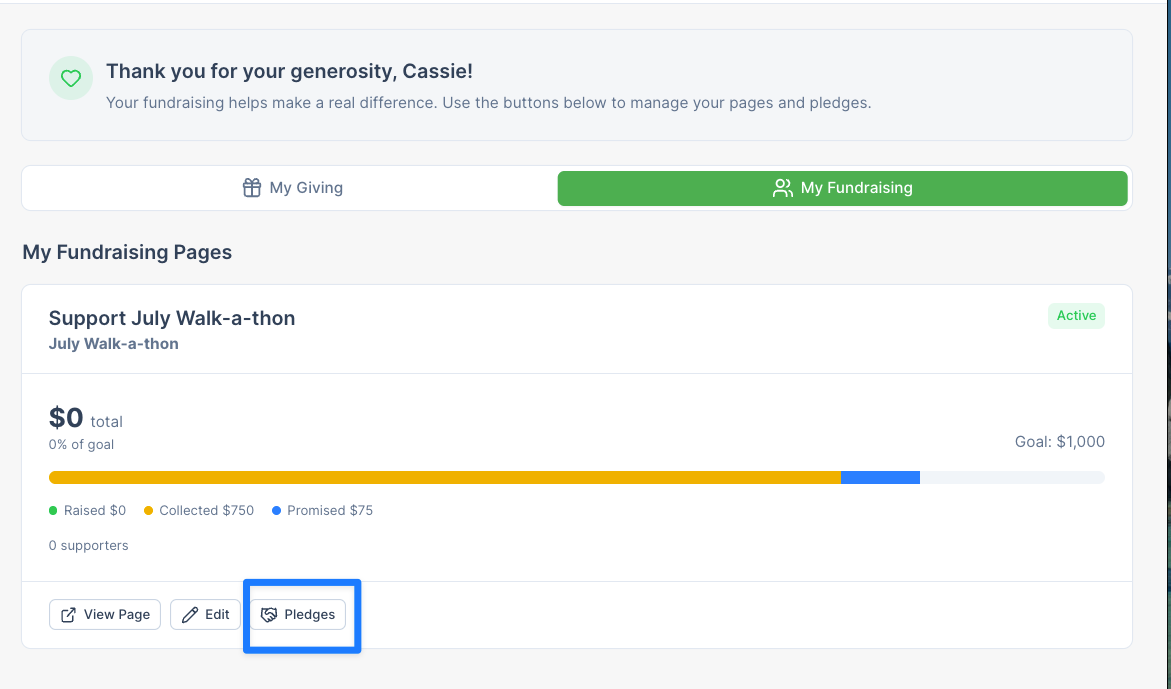
From your fundraising dashboard, open the Pledges Portal to see:
All pledges made in support of your fundraiser
Total pledged amount
Total collected amount
Total closed amount
Use this information to follow up with supporters who have not yet fulfilled their pledges.
Add a New Pledge
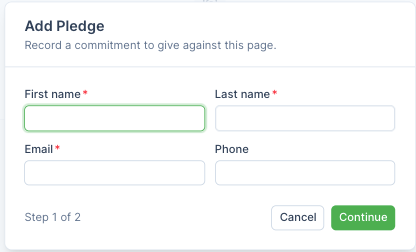
If a supporter commits to making a donation, you can record that pledge in the Pledges Portal.
When creating a pledge, be sure to enter:
The donor's information
The pledged amount
Any helpful notes or reminders
For example, you might note that a donor plans to mail a check after the event or submit payment through another source.
Update Pledge Statuses
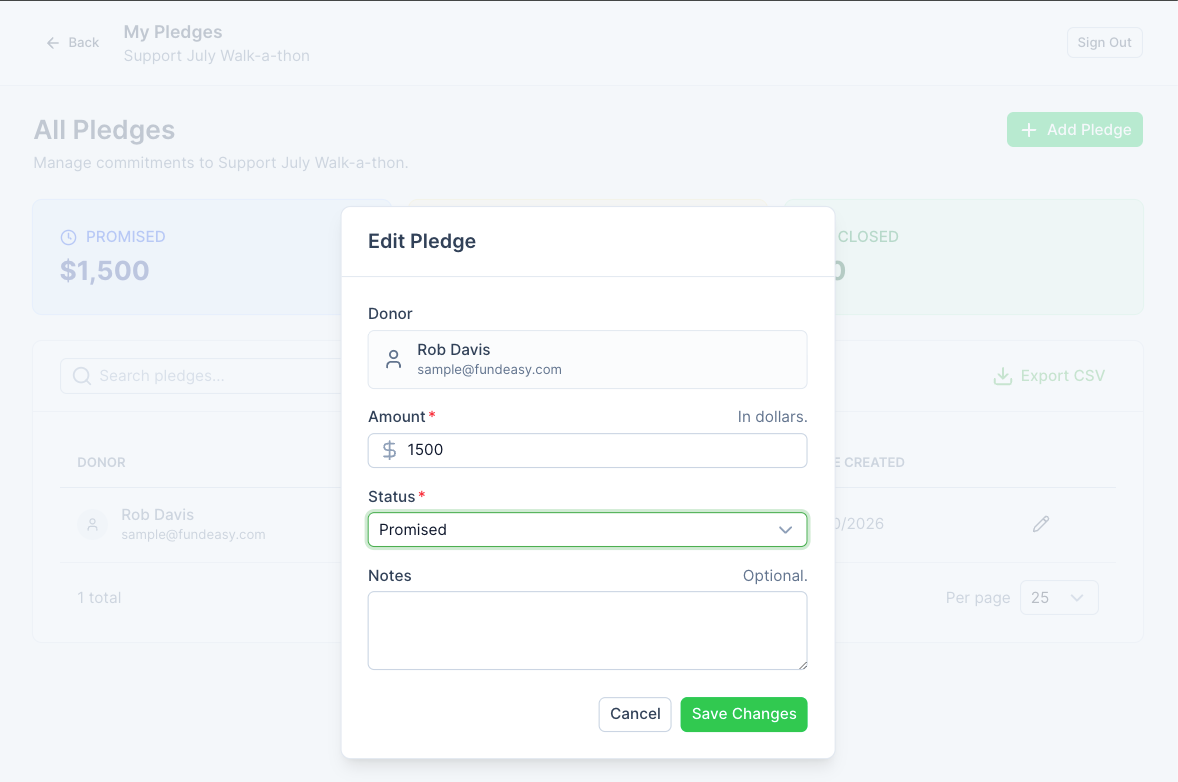
As you receive donations, keep your pledge records current by updating pledge statuses.
You can mark a pledge as:
Collected when you have received the donation from the donor.
Cancelled if the donor is no longer expected to fulfill the pledge.
Why Can't I Mark a Pledge as Closed?
Only organization administrators can mark a pledge as Closed.
A pledge is considered Closed only after the organization has received and processed the donation. Once you mark a pledge as Collected and submit the funds to the organization, an administrator can update the pledge to Closed.
If you have questions about a pledge's status, contact your event organizer or fundraising administrator.
Was this helpful?
Still need help? Ask the team