Adding a Promo Code
Written By Edith Henry
Last updated About 1 month ago
Promo codes (also called discount codes or coupon codes) allow event organizers to offer reduced prices to specific audiences. They are commonly used for partner promotions, group incentives, or targeted marketing campaigns.
Create a New Promo Code
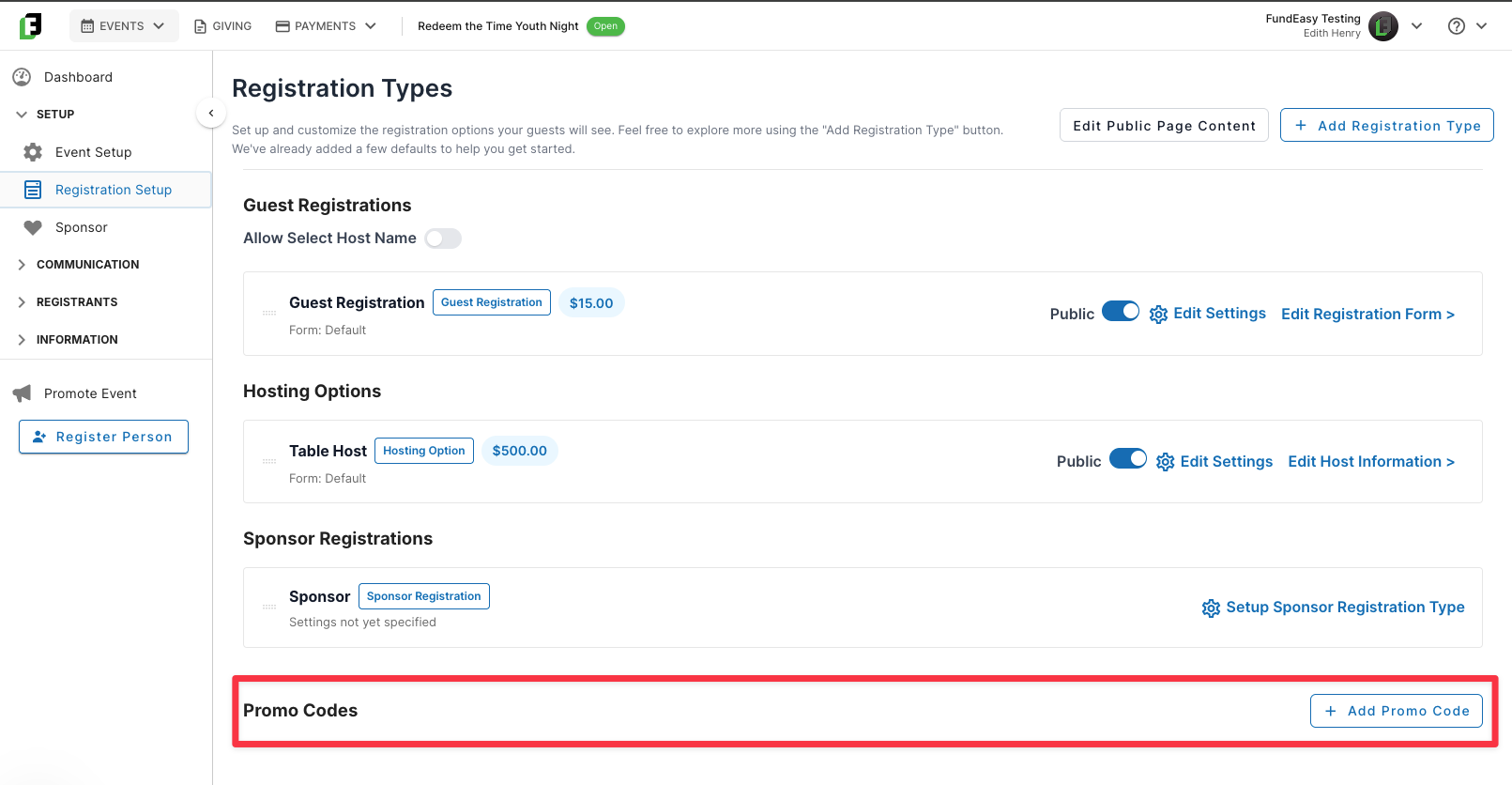
From your Registration Setup dashboard, navigate to “Add Promo Code” to begin entering the required details:
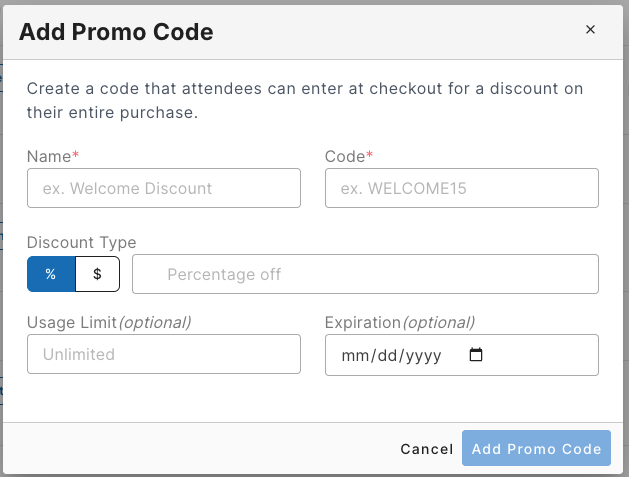
Code Name (the internal descriptor of what this code is)
Code (e.g., MOTHERSDAY2026, VIPSAVE)
Discount Type:
Percentage (e.g., 20% off)
Fixed amount (e.g., $10 off)
Usage limits (optional: total uses before the promo code no longer works; leave blank for unlimited)
Expiration date (if applicable)
Manage an Active Discount Code
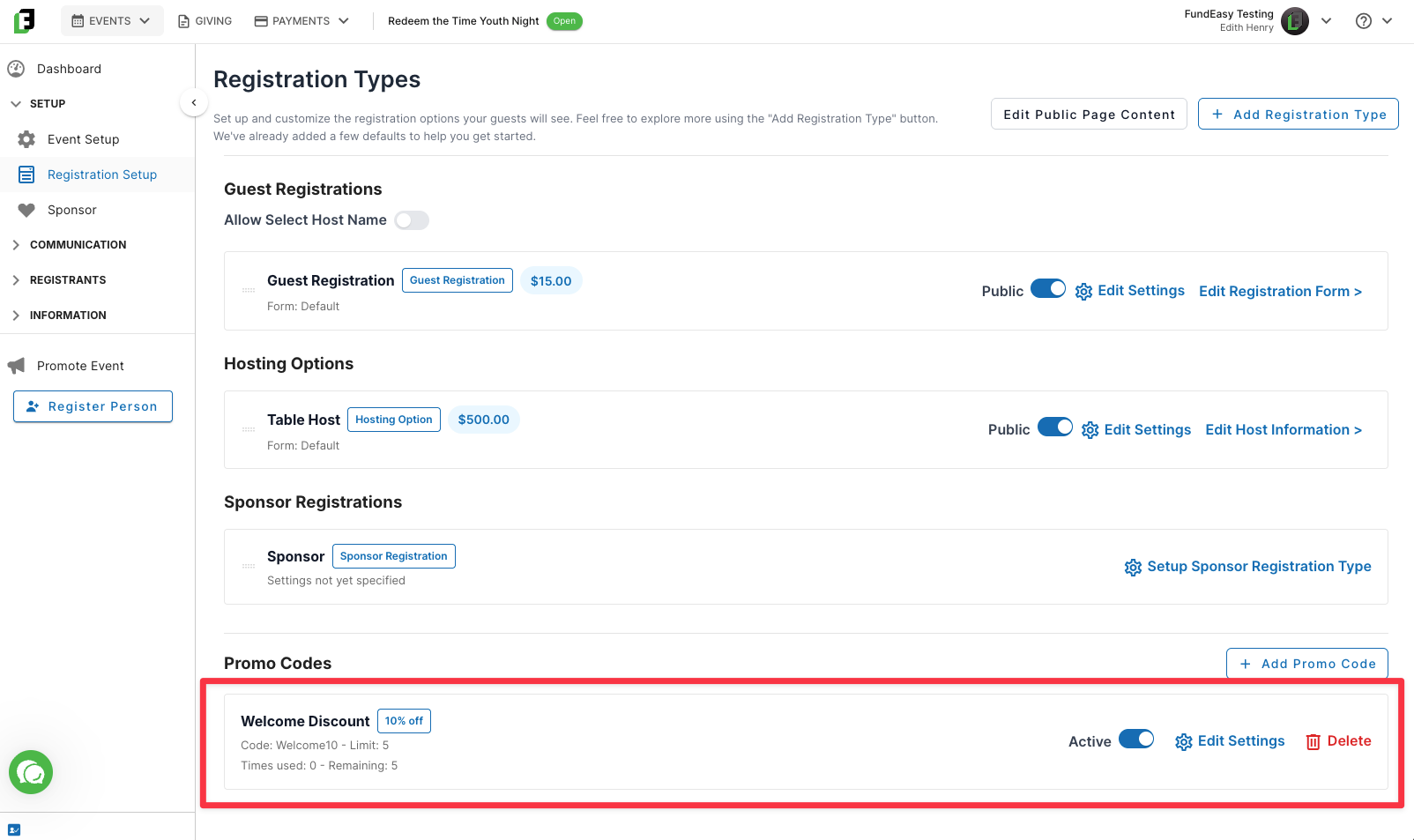
Once you have a saved Promo Code, it will display on your registration dashboard. From here you can easily pause it, edit the settings, or simply monitor how many times the code has been used so far. If needed, you can also delete the discount code.