How to Create and Manage Your Fundraising Page
Written By Edith Henry
Last updated About 1 month ago
After registering for an event, you will have the opportunity to create your own fundraising page. This page is designed to help you share our organization’s mission, collect donations, and track your progress toward your fundraising goal for the event.
Setting up your page only takes a few minutes and can be done directly from the email you receive after registration.
Step 1: Open Your Fundraising Email
After you register, you’ll receive an email with a secure link to your fundraising page. This link is unique to you and will always take you directly to your page setup and editing area.
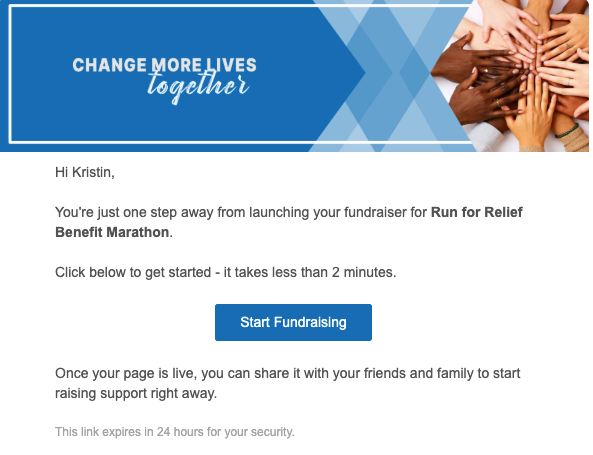
Click the link in your email to get started.
Step 2: Create Your Fundraising Page
When you open your link for the first time, you’ll be guided through a simple setup process to create your personal fundraising page.
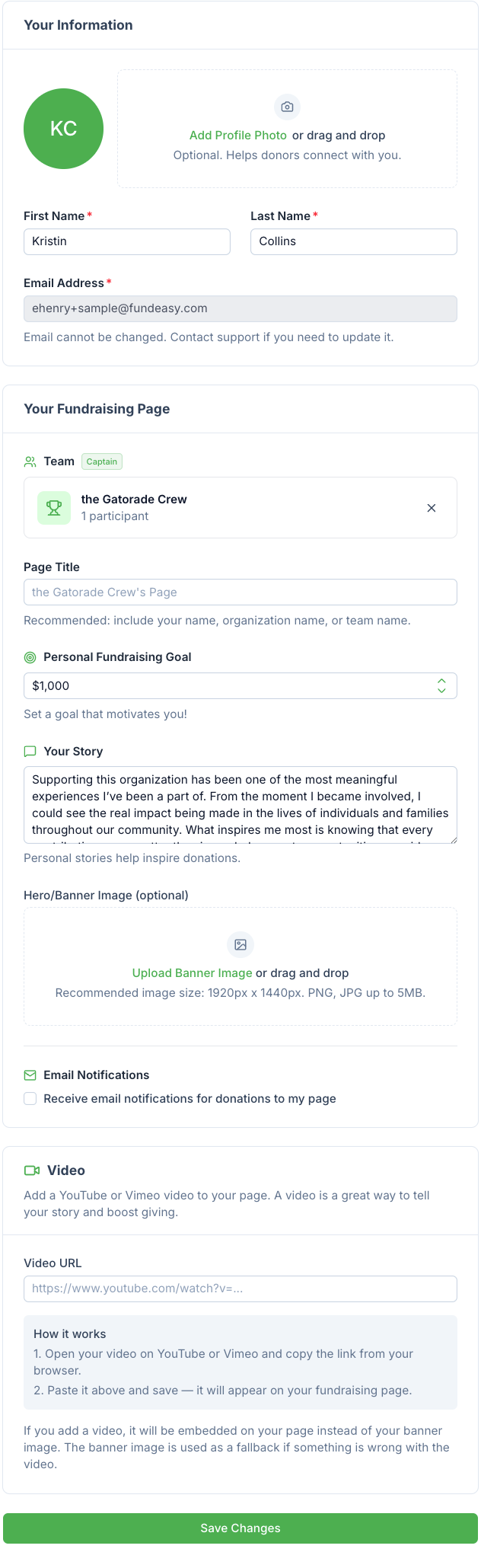
From here, you'll have the opportunity to:
Add your name (or how you want to appear on your page)
Give your page a title, or leave it blank to automatically show your name (or your team's name)
Upload a photo or choose an avatar
Add a hero/banner image, or a link to a YouTube or Vimeo video, to help bring your story to life [If you add both a banner image and a video, your video will always take priority]
Write a short message about why you are supporting the organization's mission
This is your opportunity to explain why the cause matters to you and why you're helping support the organization through this event.
Step 3: Review and Publish Your Page
Once you’ve added your information, you’ll be able to preview your fundraising page. This is how it will appear to friends, family, and supporters.
When everything looks good, publish your page. Once published, it becomes live and ready to receive donations on behalf of the organization’s campaign.
Step 4: Share Your Page
After your page is live, you can start sharing it right away. You’ll be given a link that you can send through email, text message, or social media.
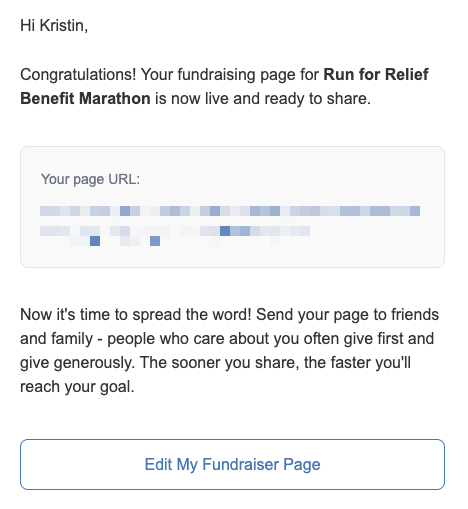
Sharing your page helps introduce more people to the organization’s mission and gives them an easy way to support the event.
Step 5: Manage and Update Your Page
You can return to your fundraising page at any time using the same email link you received when you registered.
From there, you can update your page as needed—including your title, photo, banner image, or video—and monitor your ongoing fundraising progress. There's no need to create a separate account or remember a password—your email link always gives you access.
If the event organizer already added a video to the campaign page, that video will show on your personal page automatically. You're always welcome to swap it out for your own by adding a different YouTube or Vimeo link, or remove it to bring back your photo or banner image instead.
Tips for a Strong Fundraising Page
Here are a few simple ways to make your page more effective:
Clearly explain why you are supporting our organization
Keep your message personal and authentic
Use a friendly, approachable photo
Share updates as the event progresses
Thank supporters as they contribute
Even small updates can help keep your campaign active and engaging.
Your fundraising page is a way to help extend the reach of our organization’s mission. By sharing it with your network, you’re helping more people learn about our cause and support the impact of the event. Thank you for your support in helping bring this peer-to-peer campaign to life. Your time, effort, and commitment make a real difference in reaching our goal and sharing this message with others.
We truly appreciate you.