"Promote to Host" Feature in a Vision Dinner Event
Vision Dinner events allow administrators to promote an existing guest to a host at any time. Once promoted, the new host can begin building their own guest list, appear as a selectable host during registration (if enabled), and receive access to the Host Manager.
Note: The Promote to Host feature is only available in Vision Dinner event templates. If your event was created using any other template, this option will not appear.
How to Promote a Guest to a Host
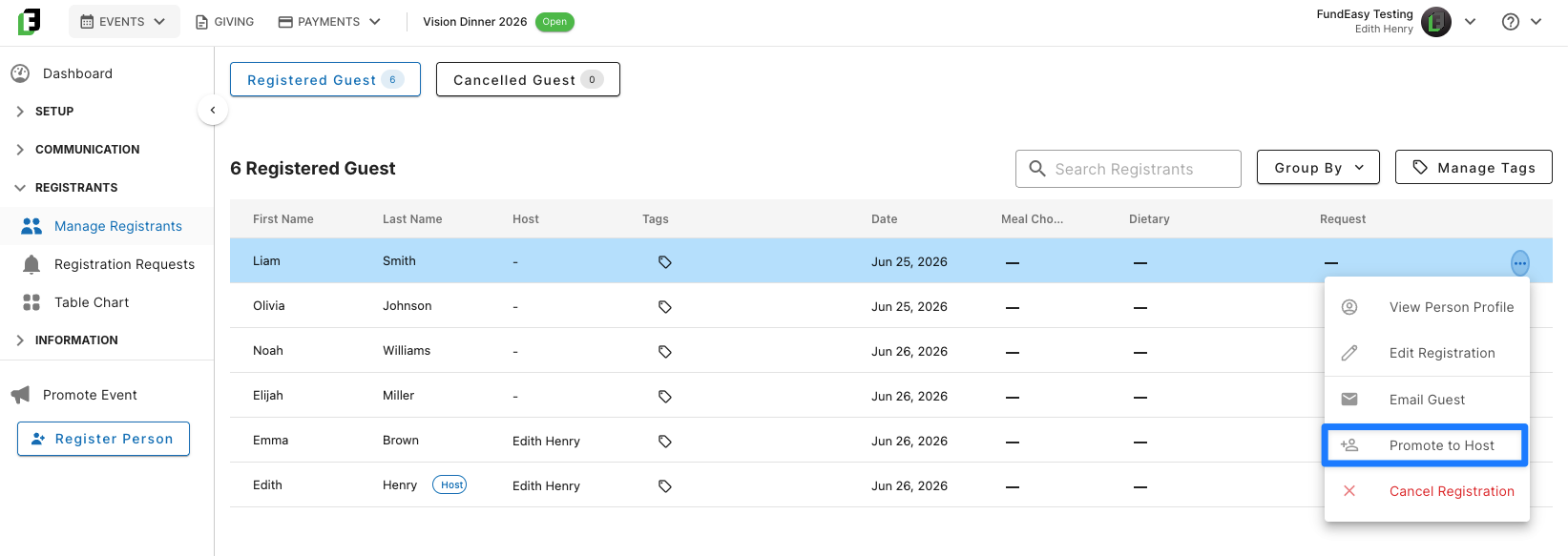
Open your event and navigate to Manage Registrants.
Locate the guest you would like to promote.
Open the guest's action menu.
Select Promote to Host.
Confirm the promotion when prompted.
Once confirmed, the registrant is immediately converted into a host.
What Happens After a Guest Is Promoted?
Promoting a guest to a host immediately unlocks the full host experience.
A Host Group Is Created
Once promoted:
The registrant receives a Host badge throughout the event management experience.
They become the host of their own guest group.
Any guests you assign to their group—and any additional guests they register or invite later—are automatically associated with that host.
The host group also appears in the Table Chart, making it easy to seat hosts and their guests together.
The Host Becomes Available During Registration (Optional)
If your event has the Select Host Name option enabled, the newly promoted host immediately becomes available in the host selection dropdown on the public registration page.
Future registrants can select that host during registration and will automatically be added to the host's guest group.
The Host Receives Access to the Host Manager
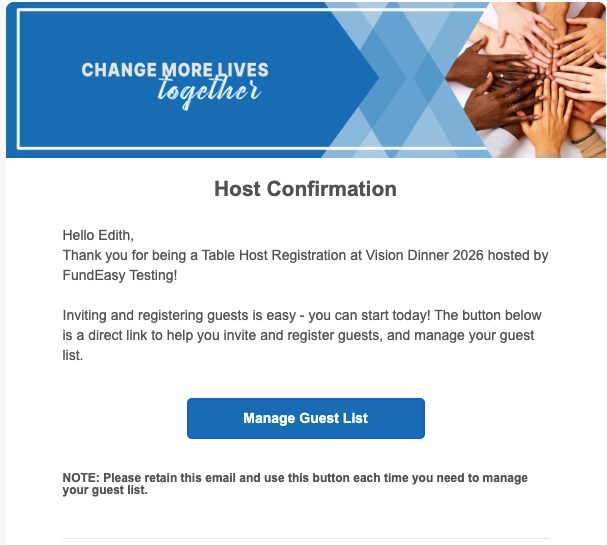
As soon as a guest is promoted, they receive a Host Instructions email containing a link to their Host Manager.
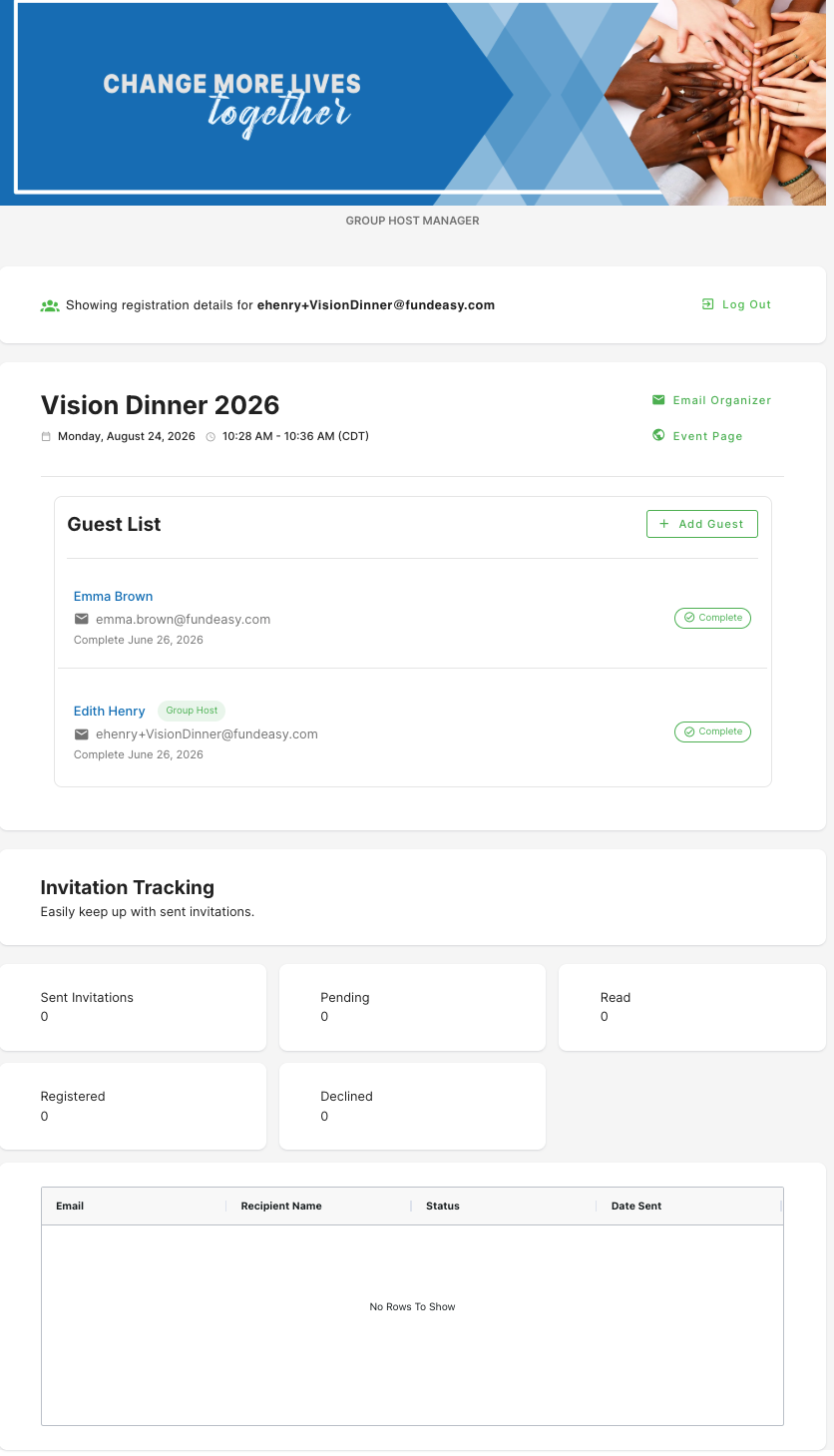
From the Host Manager, hosts can:
View everyone currently assigned to their guest group.
Invite additional guests by entering one or more email addresses.
Continue managing and growing their guest list throughout the event.
As invited guests register, they are automatically added to the host's group.
Was this helpful?
Still need help? Ask the team