Consultants (Users on Multiple Accounts)
In FundEasy, some users may appear as consultants. A consultant is not a unique user role or permission level—it is simply a regular user who has been invited to access more than one organization using the same email address.
This allows users who work with multiple organizations to easily switch between accounts without needing separate login credentials.
Inviting a Consultant to Your Account
To add a consultant to an account:
Navigate to the organization where you want to add the user.
Go to Account Users.
Select Invite New User.
Enter the user's existing email address.
If that email address is already associated with another FundEasy account, the user will be invited as a consultant with access to multiple organizations.
Receiving a Consultant Invitation
When a user is invited to an additional organization, they will receive an email invitation confirming their access.
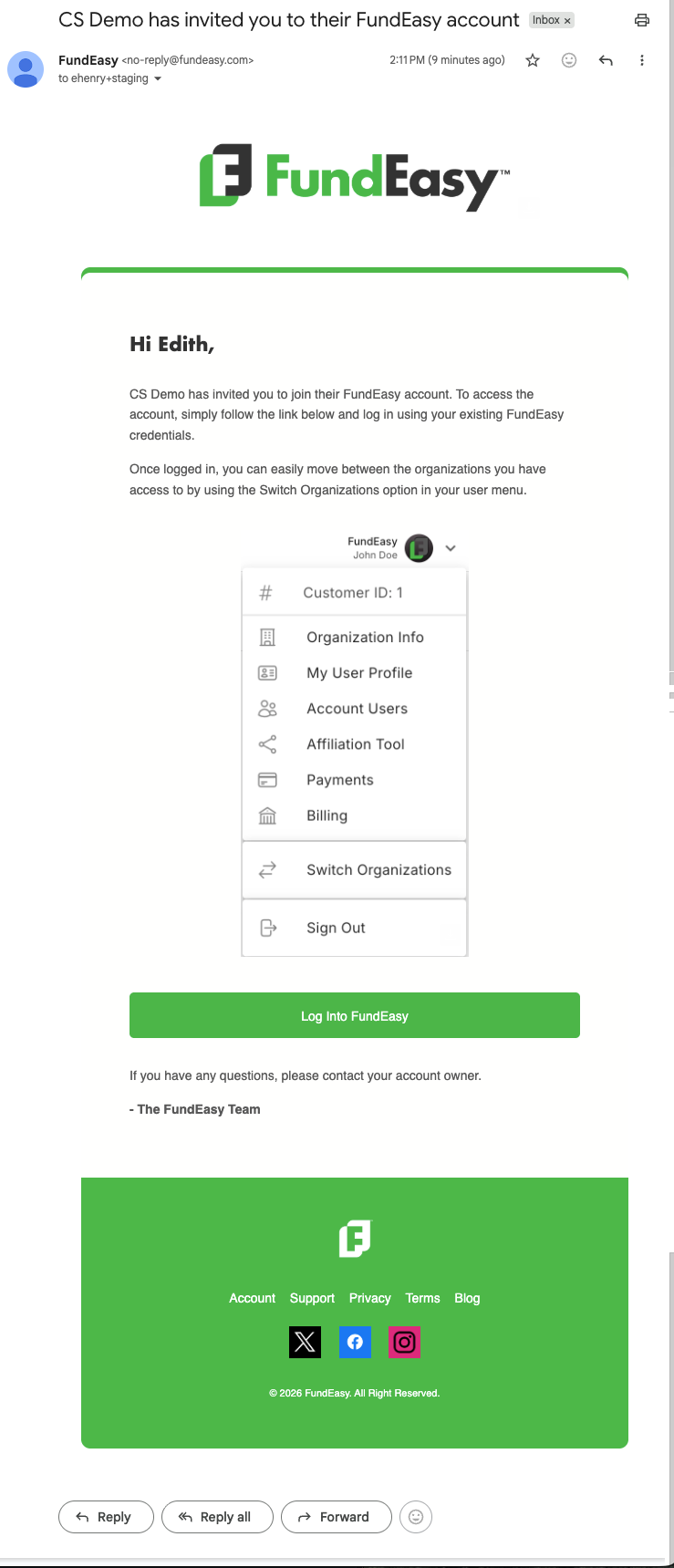
The email will include:
The organization that invited them
A welcome message confirming they have been added
Instructions to log in using their existing FundEasy credentials
Information about using the Switch Organizations feature
Because consultant users already have a FundEasy login, they do not need to create a new account or password.
Switching Between Organizations
Once a user has access to multiple organizations, they can use the Switch Organizations feature to move between accounts.
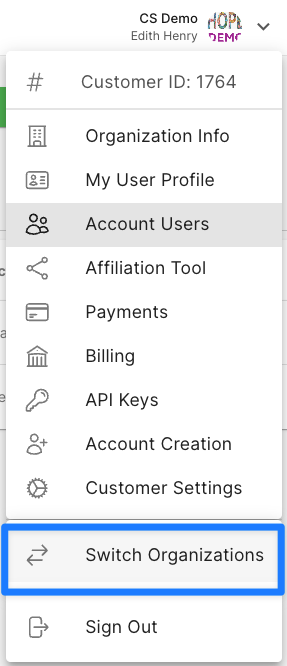
This allows them to work in different organizations without needing to log out and log back in each time.
Understanding Consultant Permissions
Consultant users do not have a special set of permissions. Their access is determined by the role assigned to them within each individual organization.
For example:
A user may be an Owner in one organization.
The same user may be an Admin in another organization.
When switching between organizations, their permissions will automatically update based on the organization they are currently viewing.
This means a consultant user may have different levels of access depending on which account they are working in.
Summary
Consultant users make it easier for individuals who support multiple organizations to manage their work from a single FundEasy login. Remember that a consultant is not a separate user type—each organization controls the user’s access level independently, and permissions will always reflect the role assigned within the organization they are currently viewing.
Was this helpful?
Still need help? Ask the team