Managing Your Participants' Fundraiser Pages
Written By Edith Henry
Last updated 4 months ago
Viewing Your Participants’ Fundraisers
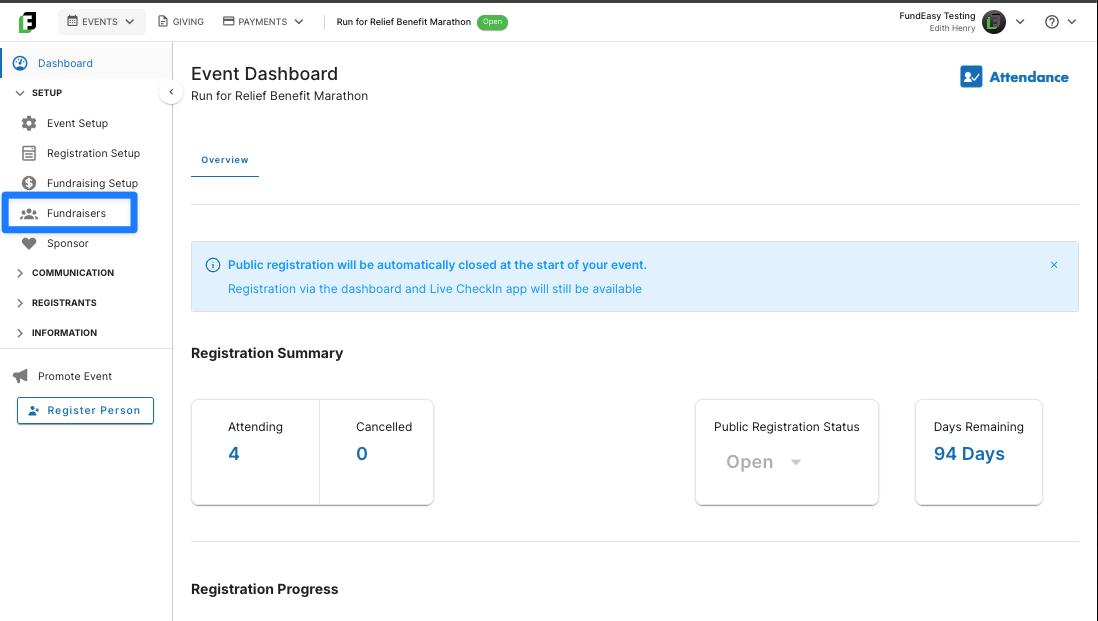
As excited participants begin to register for your event and launch their personal fundraising pages, you can easily review their progress by navigating to the Fundraisers option in your sidebar.
Here, you’ll be able to see at a glance all your active Participant Fundraisers, as well as their ongoing progress.
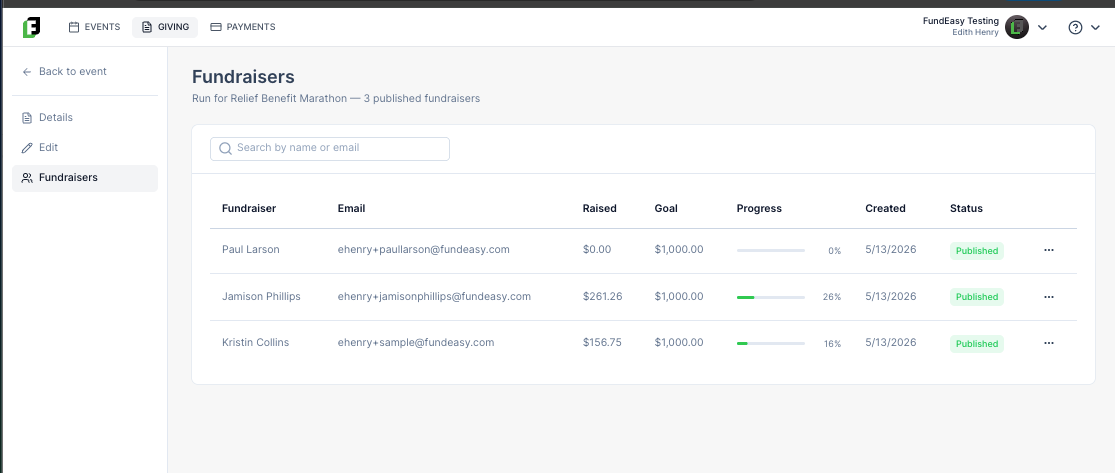
Use this page to quickly see
How many published fundraisers you have so far
How much each fundraiser has raised to date
What each participant’s individual fundraising goal is
What date each page was created
Which pages are published vs. non-published
This centralized view gives you real-time visibility into how your Peer-to-Peer campaign is performing at both the individual and event level. Instead of tracking progress across multiple systems or spreadsheets, you can monitor participation, engagement, and fundraising impact in one place. Use these insights to identify strong performers, support participants who may need additional encouragement, and make informed decisions that help drive your overall fundraising goal forward.
The Action Menu for Admins
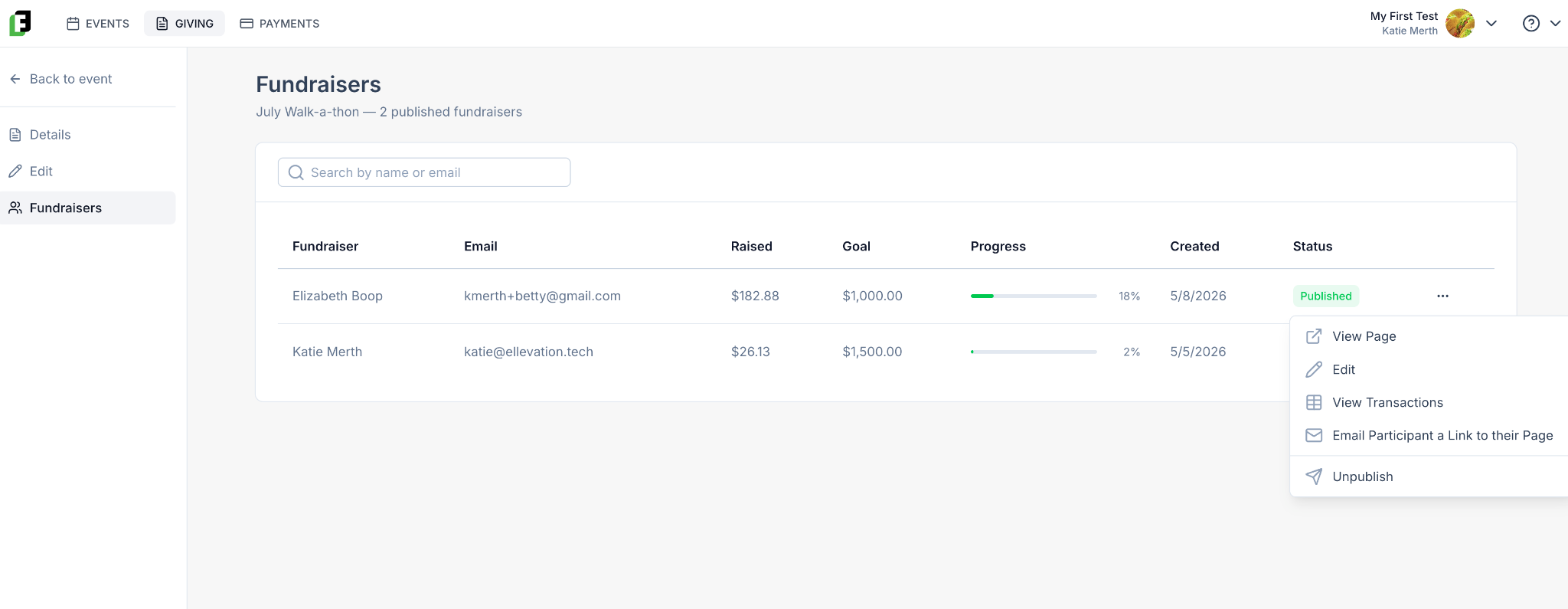
From the action menu, you’ll be able to:
View the Participant’s Fundraising page
Edit the Participant’s Fundraising page
View all of the individual transactions made through the page
Email the participant a link to edit their page.
Publish or Unpublish the page (Only Admins can do this. Participants cannot publish or unpublish their own page.)
Through these actions, you can efficiently manage and support your participants, helping them maximize their fundraising potential and reach a wider audience.