Changelog

Follow new updates and improvements to FundEasy.

Easier Event Setup, Immediate Event Banner Updates, Self-Service Stripe Disconnect, and More!

We’ve made some more big improvements to make Event setup and management easier! Highlights in this release include:

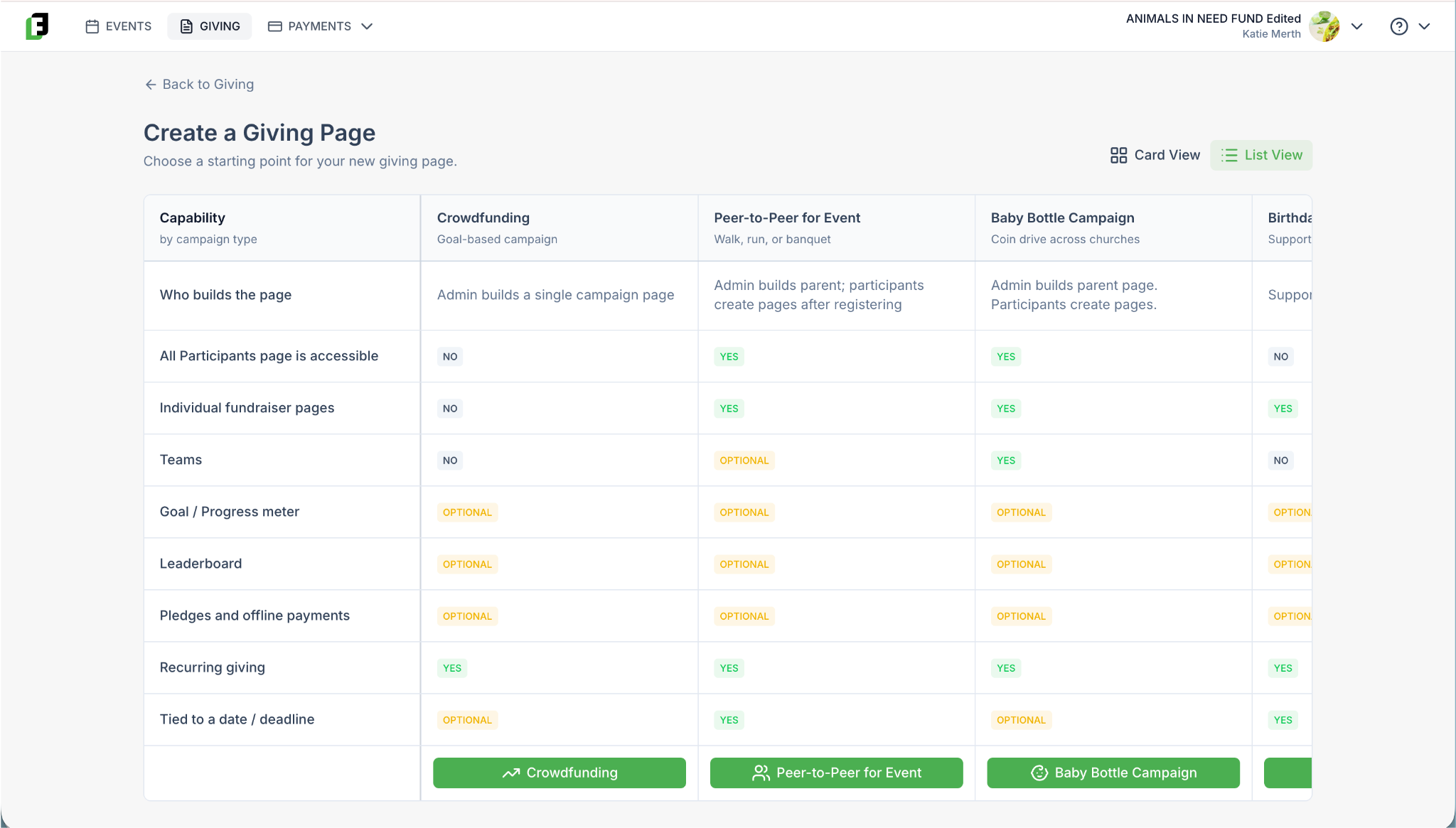
  • It’s now even easier to create your Event in FundEasy. We’ve simplified the “Choose Your Event Type” step, and added a table so you can compare the features of each template side-by-side.

  • Your Events List and Event Dashboard now show which template was used and who created each event and when.

  • Making a change to your Event Banner updates your experience IMMEDIATELY, with no lingering caching issues.

  • If you run into any snags with setting up your payment processor, you can now use Self-Service Stripe Disconnect During Setup to reset the process on your own without having to wait for a developer to reset the flow for you. Less time waiting for help means more time collecting donations! 

We also fixed a number of bugs affecting registration, promo codes, and event pages.

Easier Event Setup

When creating a new event in FundEasy, the first step is to select an event template. We've streamlined this from eight templates down to four, removing the ones that overlapped heavily with each other — so it's now much easier to find the template that fits your event.
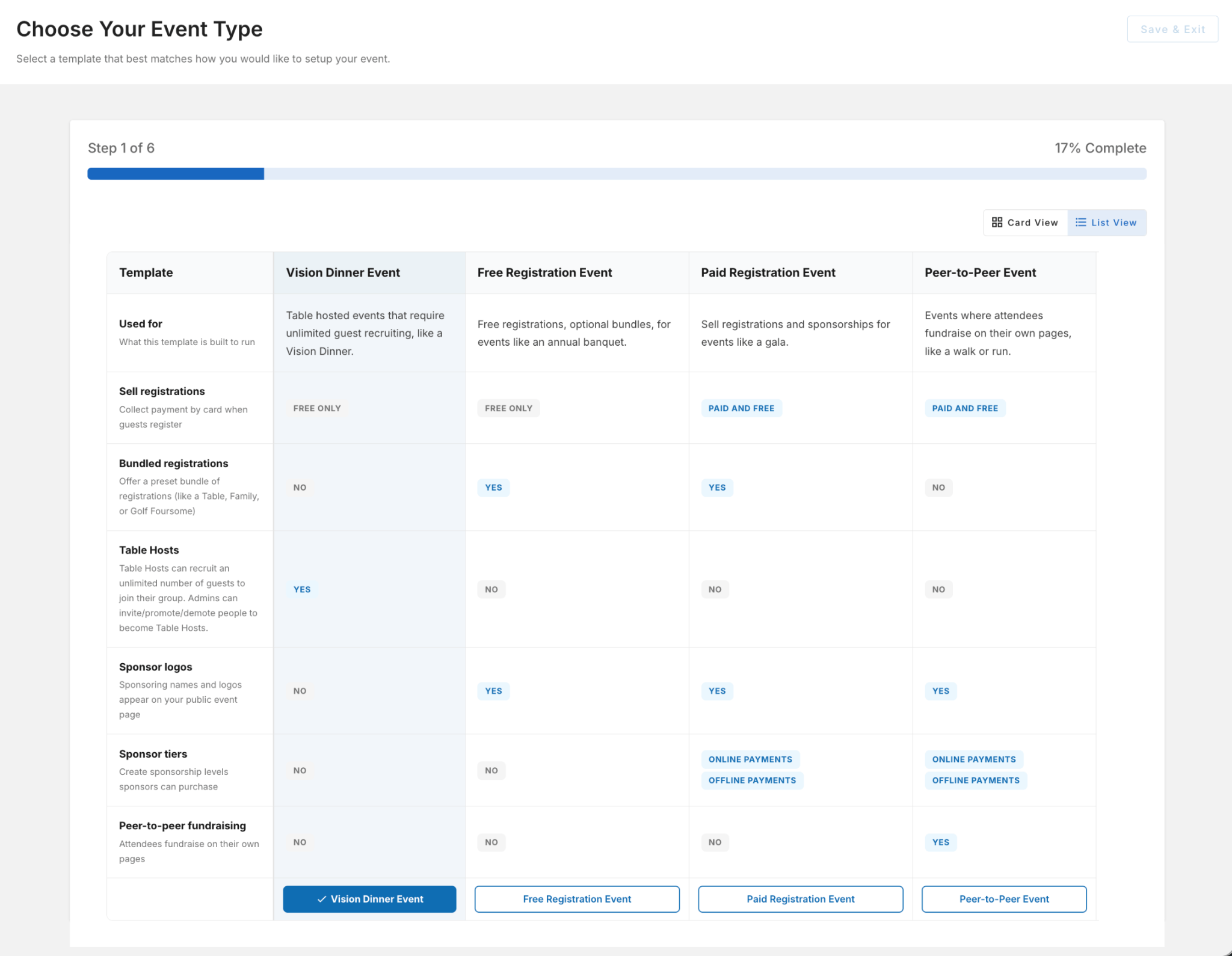
Comparing your options also got easier: you'll now start in a List View for a quicker side-by-side look at your templates, with the option to switch back to the familiar Card View if you prefer.

More Visibility Into Your Events
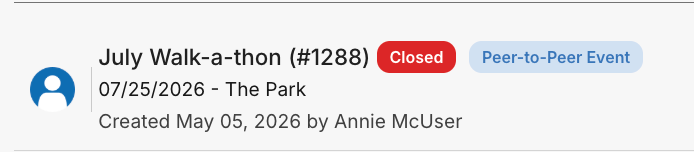
Your Events List and Event Dashboard now show the event template used and who created the event and when. This makes it much easier to understand why an event is configured the way it is, especially on accounts with a lot of events or several admins. 

IMMEDIATE Event Banner Updates
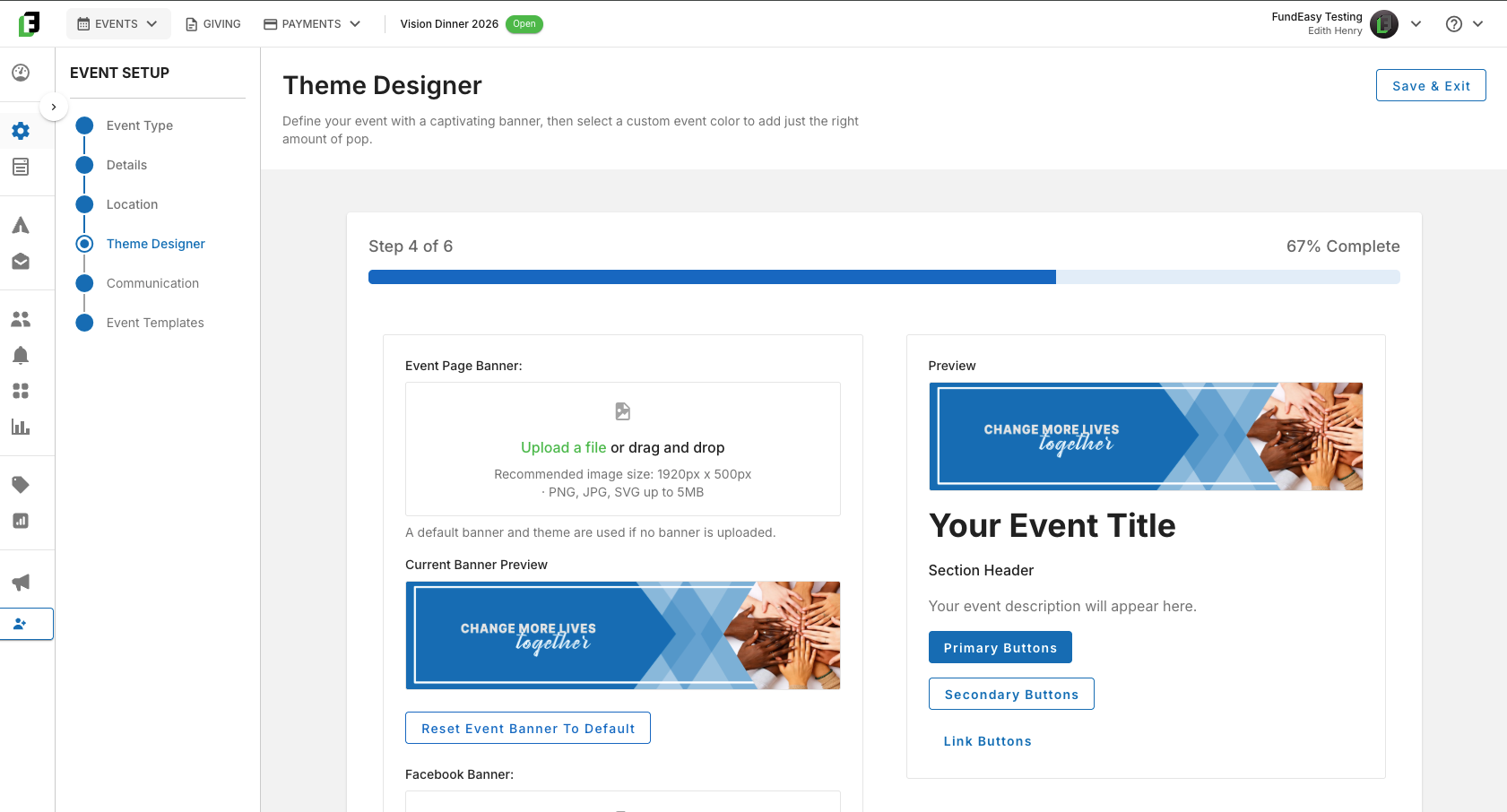
Uploading a new banner image now updates immediately on your Event Web Page and in template previews, instead of showing a cached version. No more wondering whether your update saved correctly—or opening the link in an incognito browser just to double-check your changes!

Self-Service Stripe Disconnect During Setup
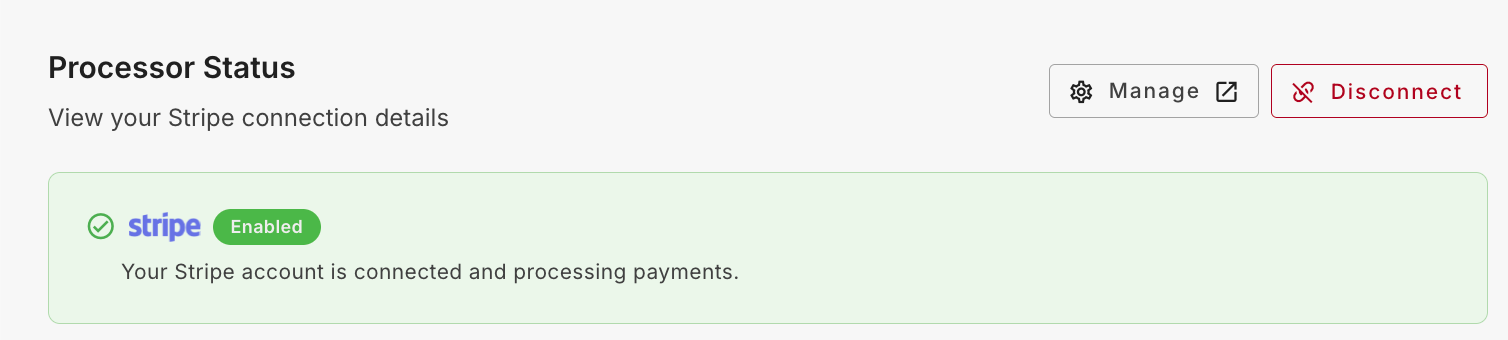
If you connect the wrong Stripe account — or just need to start over — you can now disconnect it yourself from Payments Settings, as long as no transactions have been processed yet. Previously this required contacting Support. Once disconnected, any event or giving pages that depend on a payment processor are temporarily marked unavailable until you connect a new one, and everything automatically reconnects once the new processor is set up. Accounts with existing transaction history still need to contact Support to change processors, since that history needs to be preserved.

Miscellaneous Bug Fixes and Improvements

  • Better Format Handling for Send Email > Sender Name: Emails now format the sender name correctly even when your organization’s name includes special characters, so notifications no longer silently fail to send.

  • Progress Bar in Donation Emails: The donation progress bar shown in peer-to-peer fundraising notification emails now reflects the most recent donation.

  • Promo Codes on Added Registration Types: Promo codes now apply correctly to tickets and bundles created through Add Registration Type — previously they only worked on the default registration types.

  • Early Bird Pricing in Admin Registration: Early Bird pricing now applies correctly when an admin registers a guest or table host, matching what’s shown on the page.

  • Default Country on Add Guest Workflow: Adding a guest from Host Manager or Manage Registrants now defaults the country to United States, so the state field dropdown populates immediately instead of appearing empty.

  • Cancelled Hosts Removed from Host Dropdown: Hosts with a cancelled registration no longer appear in the Select Host dropdown on your event page.

  • Sponsor Deletion Safeguard: Removed a workaround that let a sponsor be deleted without clearing their payments first, which could leave your progress meter showing an incorrect total.

  • Faster Sponsor Logo Loading: Sponsor logos on your event page now display as soon as they load instead of waiting on an extra validation step, and gracefully fall back to the sponsor’s name if a logo is missing.

  • Donation Receipt Preview: Removed a placeholder content block from the donation receipt preview so it now matches the actual email guests receive.

  • Site Security Warning Fixed: Resolved an SSL issue that was causing some guests to see a "Not Secure" warning when visiting a registration page.

  • Meal Choice on Registration Form: Fixed an issue where a selected meal choice could disappear from the registration form.

  • Faster Loading for Large Events: Improved load times for large events with hundreds of registrations and many sponsors, speeding up both the event page and Manage Registrants.

  • Vision Dinner Button Color: The Register button on Vision Dinner event pages now reflects the color you set in Theme Designer > Event Color, instead of defaulting to blue — no need to re-save your theme.
Embed Video on Your Fundraising Pages; New Giving Page Metrics; More Vision Dinner Host Tools; and More!

This release is about telling your story and understanding how it performs. Here are some of the things we’ve completed in this release:

  • added the ability to embed a video on Giving Pages, Peer-to-Peer campaigns, and Participant Fundraising Pages

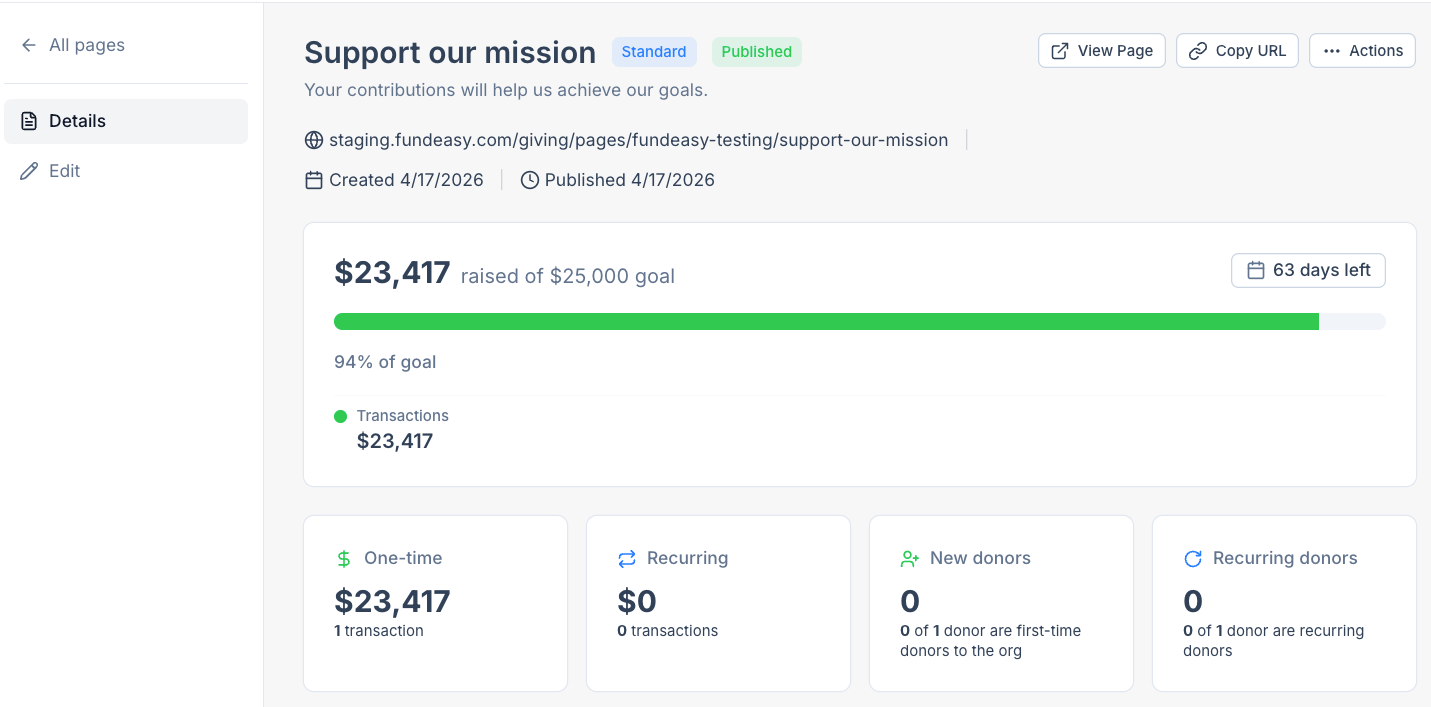
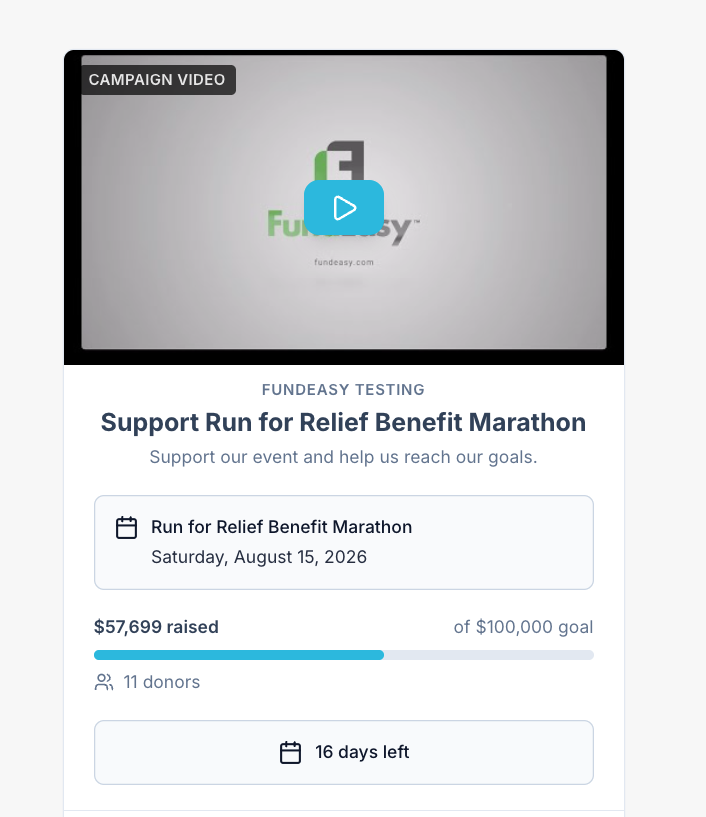
  • introduced summary metrics at the top of every Giving Page so you can see campaign performance at a glance

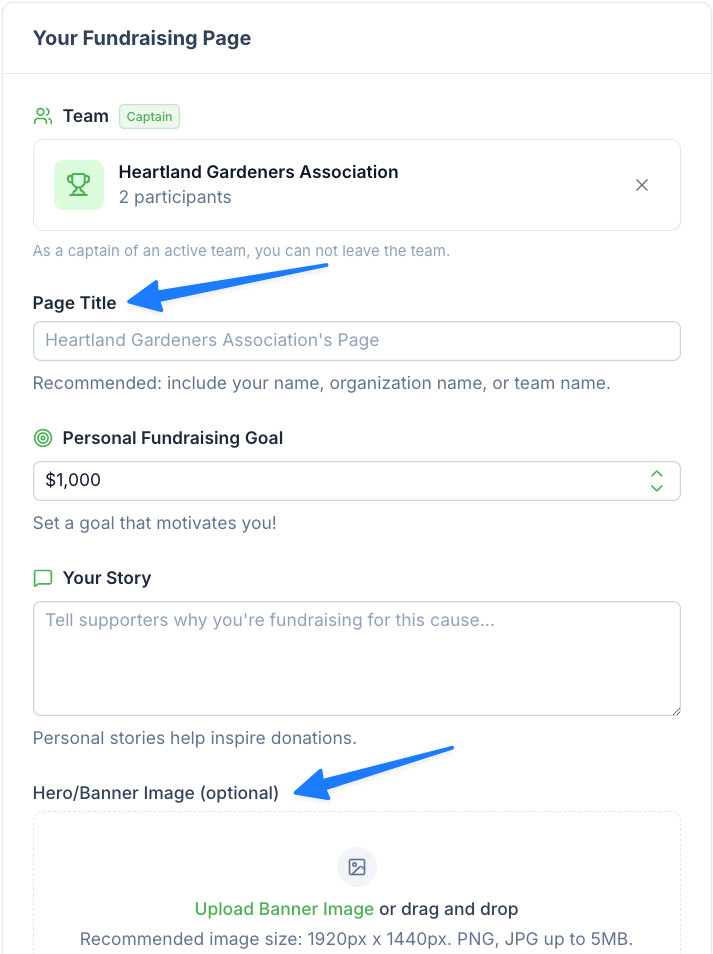
  • gave Participants control over their own page title and banner image

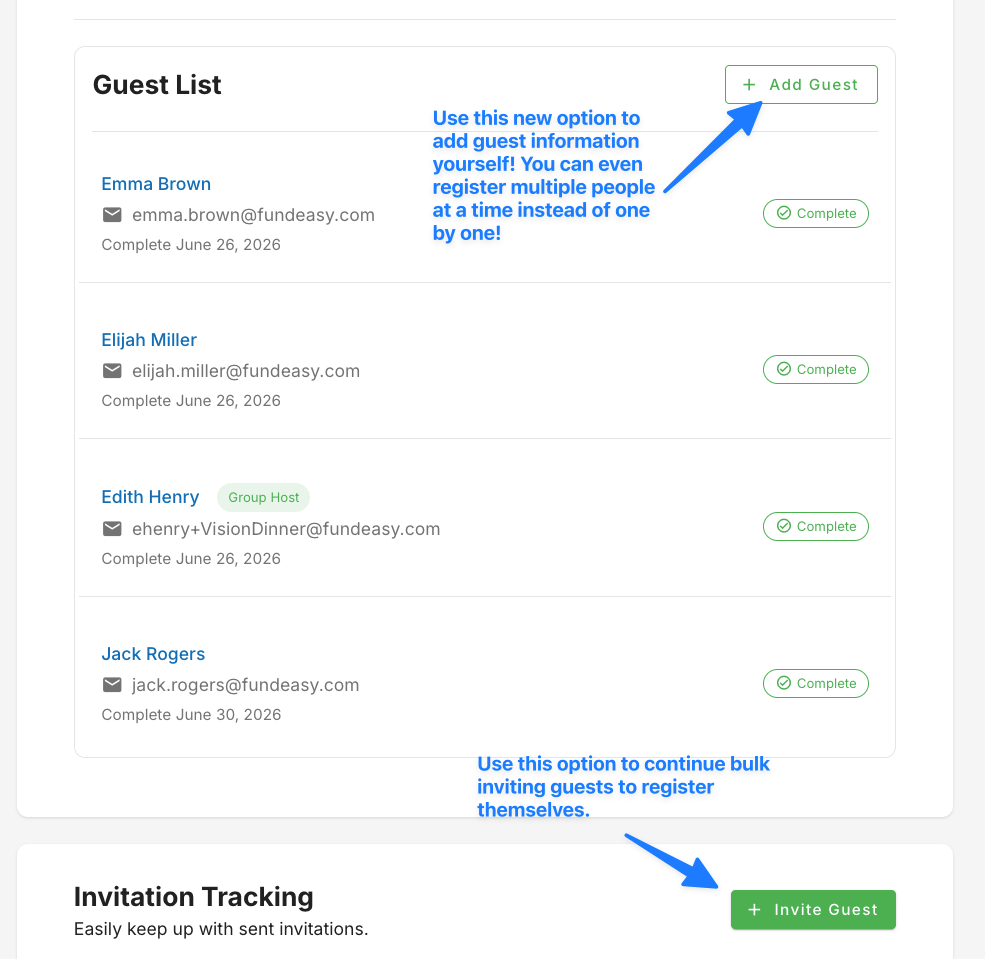
  • improved the Add Guest option for the Vision Dinner Group Host Manager

  • clarified registrant terminology and counts throughout Manage Registrants

Tell Your Story with Video

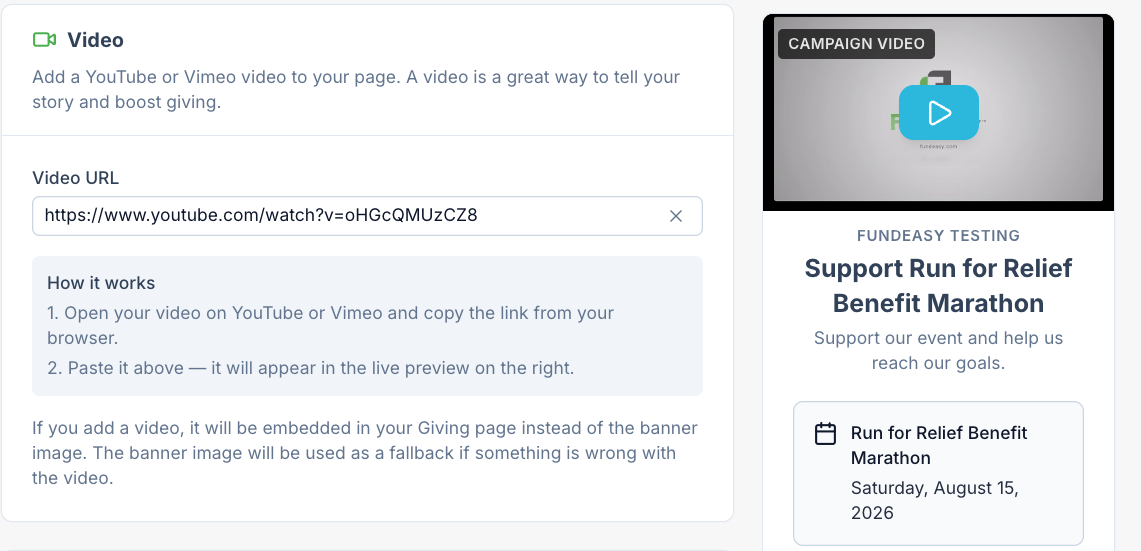
Storytelling is one of the most effective ways to inspire generosity, and now you can bring your video directly into the giving experience. You can embed a YouTube or Vimeo video on your Giving Pages, Peer-to-Peer campaign pages, and Participant Fundraising Pages — no more sending donors off to another site to watch your appeal.

Admins add a video by pasting its URL while creating or editing a Giving Page. The video appears on the public page in 16:9, in the same position your banner image would normally occupy. If you have both a video and a banner image, the video takes precedence — and if the video link is ever broken, your banner image displays instead, so your page never looks unfinished. Videos are mobile friendly and never autoplay.

Participants can do the same for their own fundraising pages from the Participant Portal, adding a personal video appeal to friends and family. Admins can view and edit a participant’s video link as well. Video embedding is available on every type of Giving Page except the Easy Hosted Giving Page.

More Insight and Control Over Your Giving Pages

Every Giving Page now opens with summary metrics at the top of the Details page, so you can tell how a campaign is performing without running a report. You’ll see a progress meter whenever the page has a goal, plus widgets for one-time gifts, recurring gifts, new donors, and recurring donors. This applies to every Giving Page you’ve ever created, regardless of which template it started from.

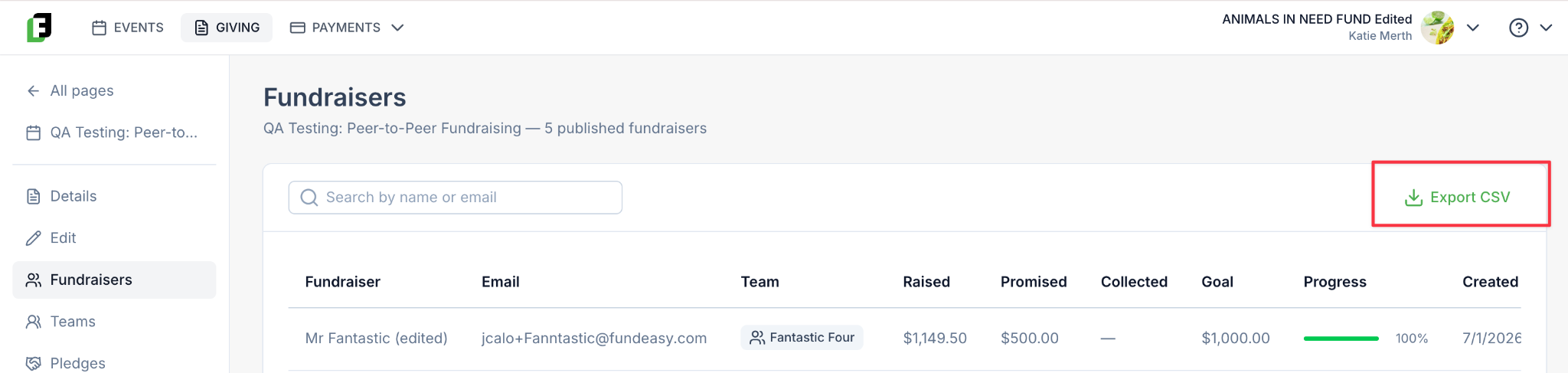
The Fundraisers tab on Peer-to-Peer Giving Pages now has an Export CSV option. The export includes each fundraiser’s name and email alongside amounts raised, promised, and collected, their goal, progress percentage, created date, and status — everything you need to pull your participants into an email tool and encourage a final push toward the goal.

Choosing a template is easier too. Giving > New Page now includes a view toggle: stay in the familiar card view, or switch to List View to compare every template side by side in a single table before you decide.

Participants Can Personalize Their Own Pages

Participant Fundraising Pages now support a custom Page Title and Hero/Banner Image, both editable by the participant when they create or edit their page. Neither field is required. If a participant leaves the title blank, the page still displays a sensible default — their name, or their team name if they’ve created a team.

These fields are available on every Peer-to-Peer-style page, including past and future Peer-to-Peer for Event, Birthday Fundraiser, Sponsorship, and Baby Bottle Campaign pages. Admins can view and edit both from Manage the P2P Giving Page > Fundraisers > Edit Page.

Better Tools for Vision Dinner Hosts

The Group Host Manager now includes an Add Guest action. Selecting it takes the host straight into the public registration flow with their own name already selected in the Select my host dropdown, so they can register a guest on the spot. Sending individual or bulk invitations instead is still one click away under Invite Guest.

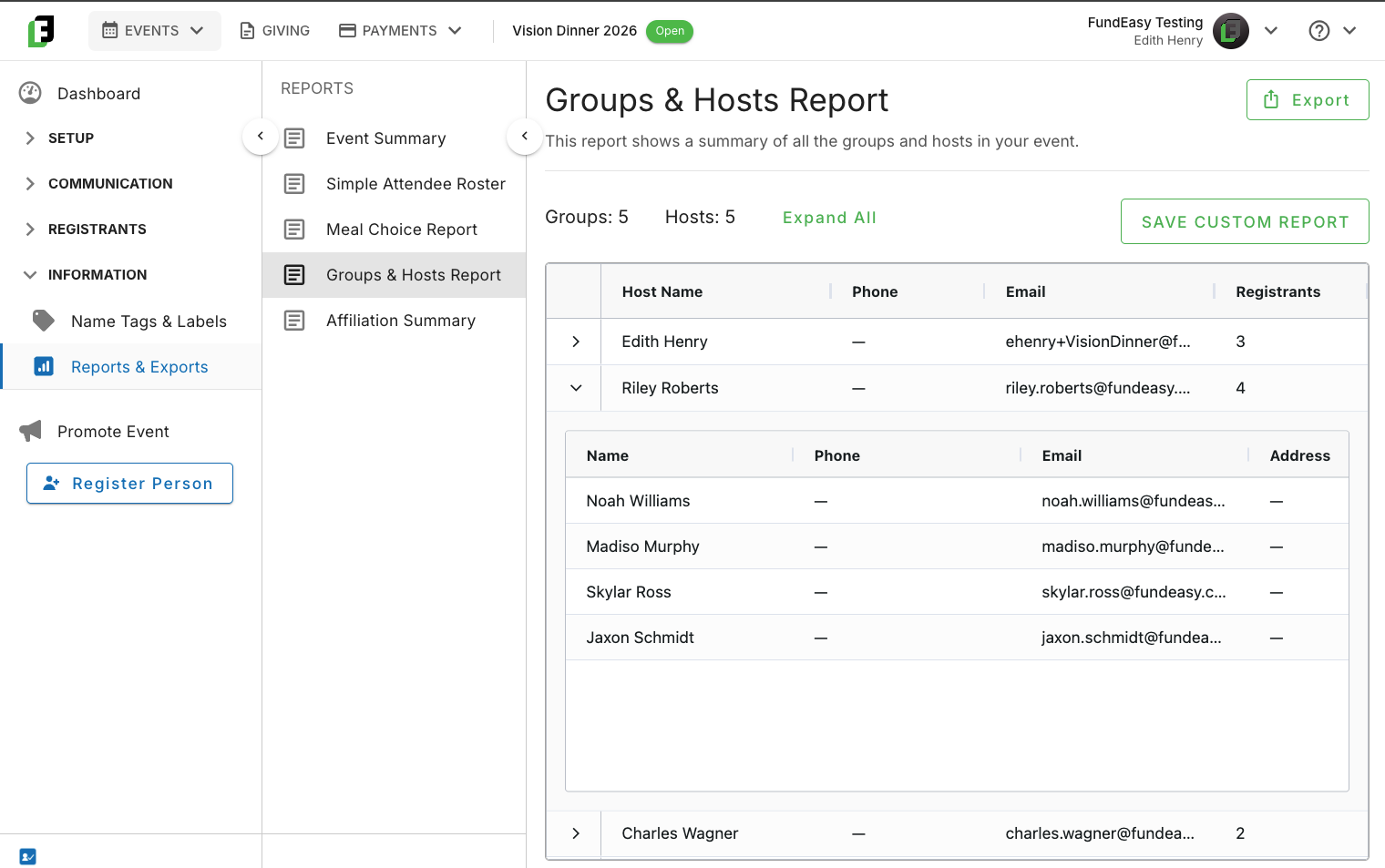
The Groups & Hosts report has been rebuilt around the host-guest relationship. Each row shows a host’s full name, phone, email, and registrant count, and expands to reveal the guests registered under them with their own contact details — so you can follow up with individuals directly from the report. Guests who haven’t been assigned to a host appear in an Ungrouped Registrants row at the bottom, making it easy to spot registrations that still need attention.

Clearer, More Reliable Registration Management

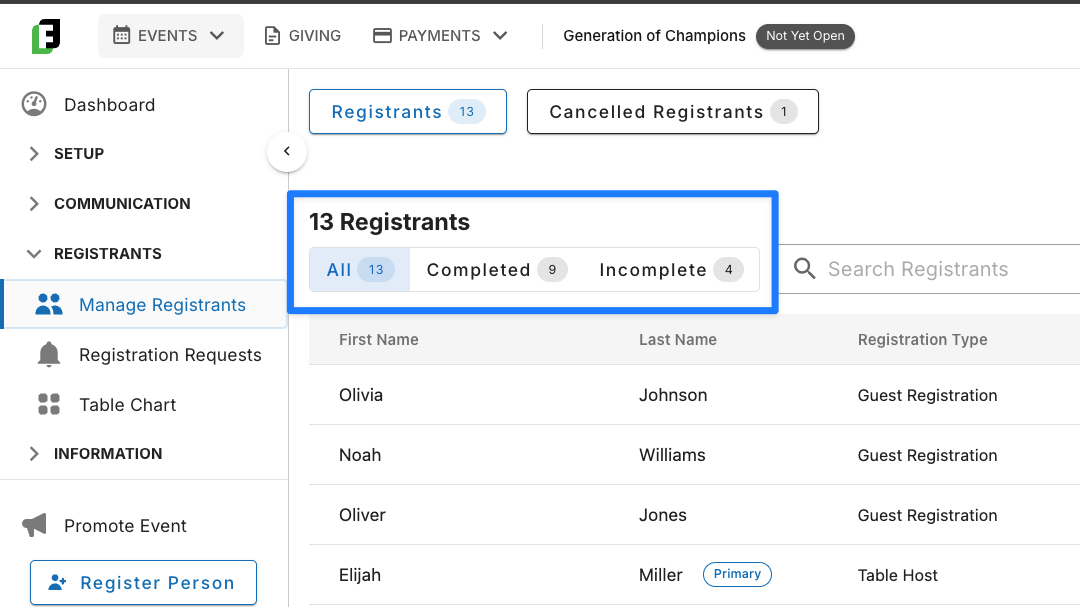
Registrant terminology and counts on the Manage Registrants page are now consistent and easy to verify. The Registered Guest tab is now Registrants, and Cancelled Guest is now Cancelled Registrants. Each of the All, Completed, and Incomplete filters displays its own count, the Completed and Incomplete counts add up to the All count, and the header count updates as you change filters. 

These changes apply to every event template except Vision Dinner events, which keep their current behavior. 

Update to Invitations: Link now goes to the Public Event Page

Finally, the Complete Registration link in general invitations sent from the Send Invitation tool now lands invitees on your public event page rather than the guest-only registration page. For non-Vision Dinner events with bundle options enabled, invitees see the same Host and Guest registration choices as anyone else visiting your page directly would see. Links sent from the Group Host Manager and links for Vision Dinner events are unchanged.

Miscellaneous Bug Fixes and Improvements

  • Sidebar “Register Person” Enhancements: Made enhancements to the admin Register Person option, including for non-public tickets and table selections.

  • “Person Added to Group” Email: Hosts are now notified when a guest joins their group, whether the guest was assigned, sent a registration link, added through Fill in Details, selected the host during registration, or emailed from the Group Host Manager.

  • Affiliations on Host Registration Links: The affiliation dropdown now populates correctly on registration links sent from Host Manager and Manage Registrants for non-Vision Dinner events.

  • Sponsor transactions now appear in the Payments > Payouts dashboard the same way every other transaction type does, with a View Transactions link to the associated records. Sponsor payouts no longer show N/A for transaction quantity.

Table Host Metrics, "View Recipients" for Sent Emails, Additional Giving Templates, and More!

This release focuses on improving visibility and streamlining day-to-day workflows for event hosts and administrators. Here are some of the things we’ve completed in this release:

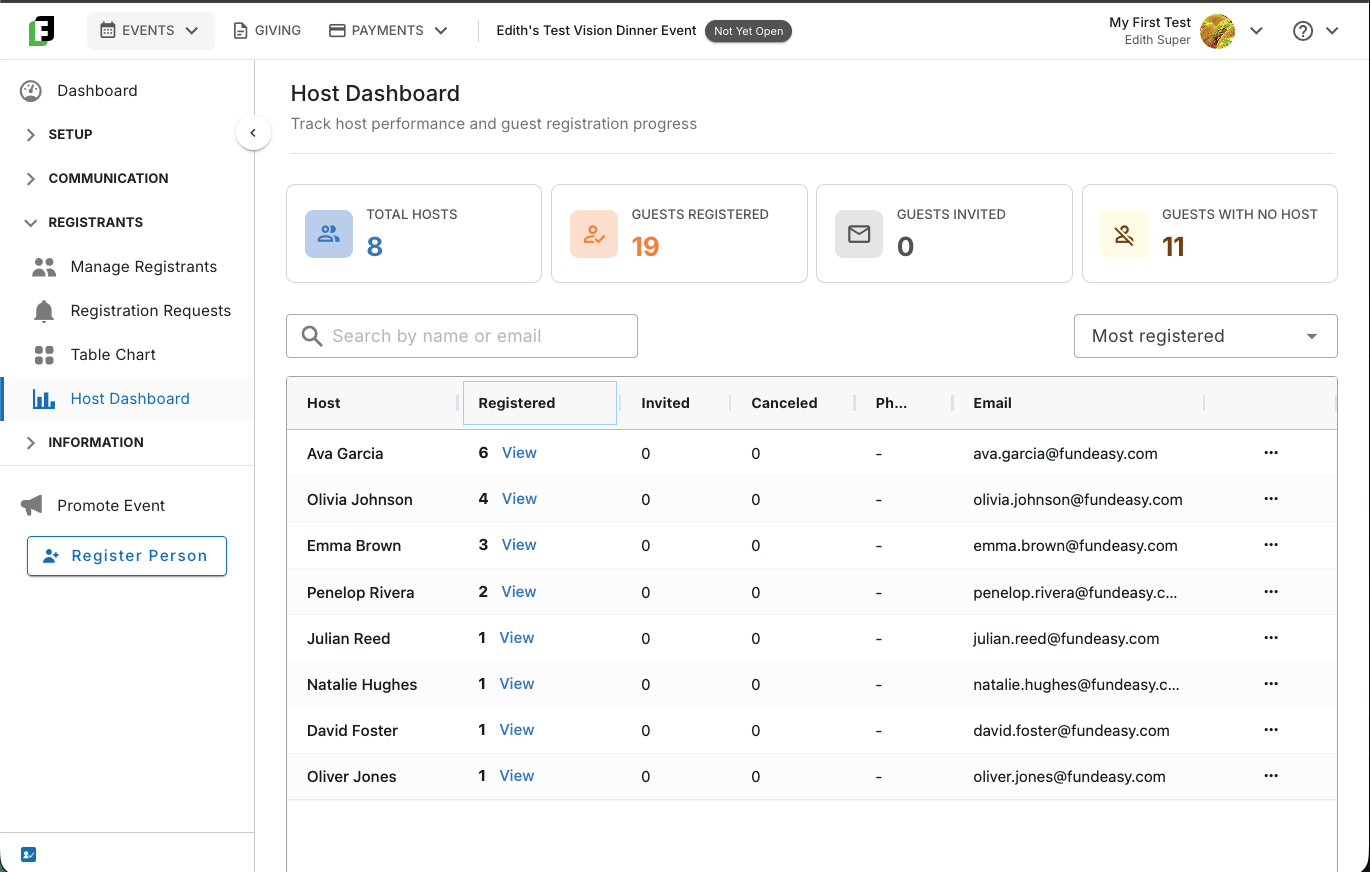
  • introduced a new Host Dashboard to Vision Dinner Events, allowing event coordinators to easily track the progress of their Vision Dinner table hosts

  • expanded visibility into sent email recipients

  • enhanced the amount of payment metadata shared between FundEasy and Stripe

  • introduced new Giving Page templates for Baby Bottle Campaigns and Birthday Fundraisers

We also resolved several bugs across events, peer-to-peer fundraising, and organization management to make the platform even more reliable.

Vision Dinner: Table Host Metric Dashboard

Admins now have a dedicated metrics dashboard for monitoring their table hosts. This dashboard provides an at-a-glance view of each host's progress, making it easier for event coordinators to identify hosts who may need additional support to keep the event on track.

Sent Emails: View Recipients

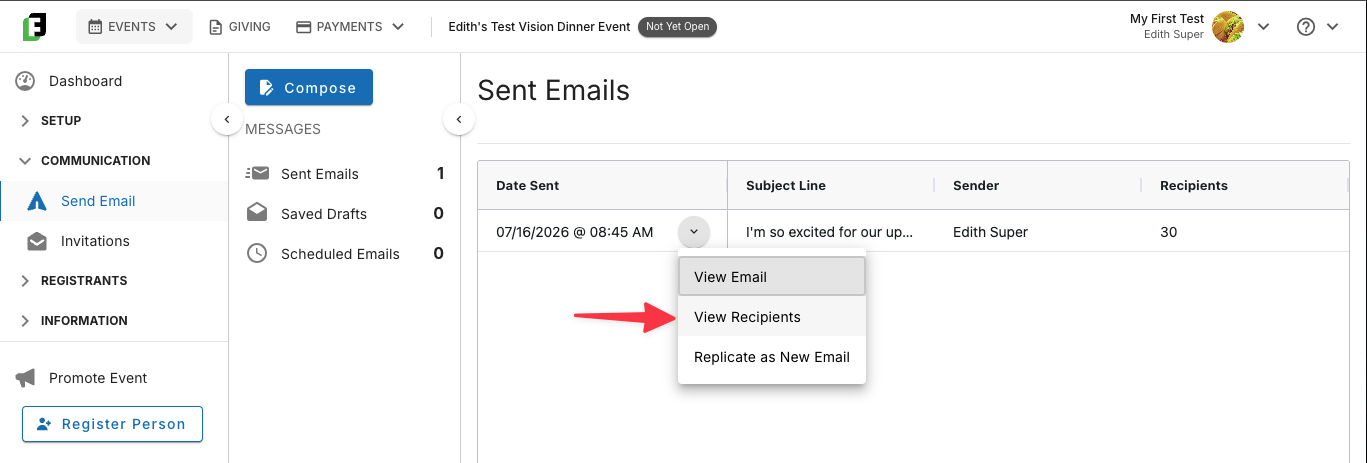
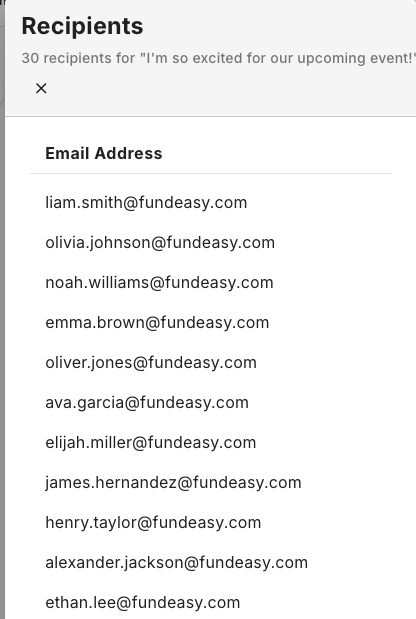
We've added the ability for admins to view the list of recipients for any email sent through the Send Email > Compose tool. After your message is sent, you can return to Send Email > Sent Emails, click the chevron menu next to any sent message, and click View Recipients to see exactly whom it was sent to. This makes it easy to confirm your recipient list and keep track of your communications.

Stripe Payment Metadata

Additional payment metadata is now passed along to Stripe with every transaction. This means when a disputed charge comes in, your team can quickly identify the associated donor and transaction context directly in Stripe, rather than cross-referencing manually.

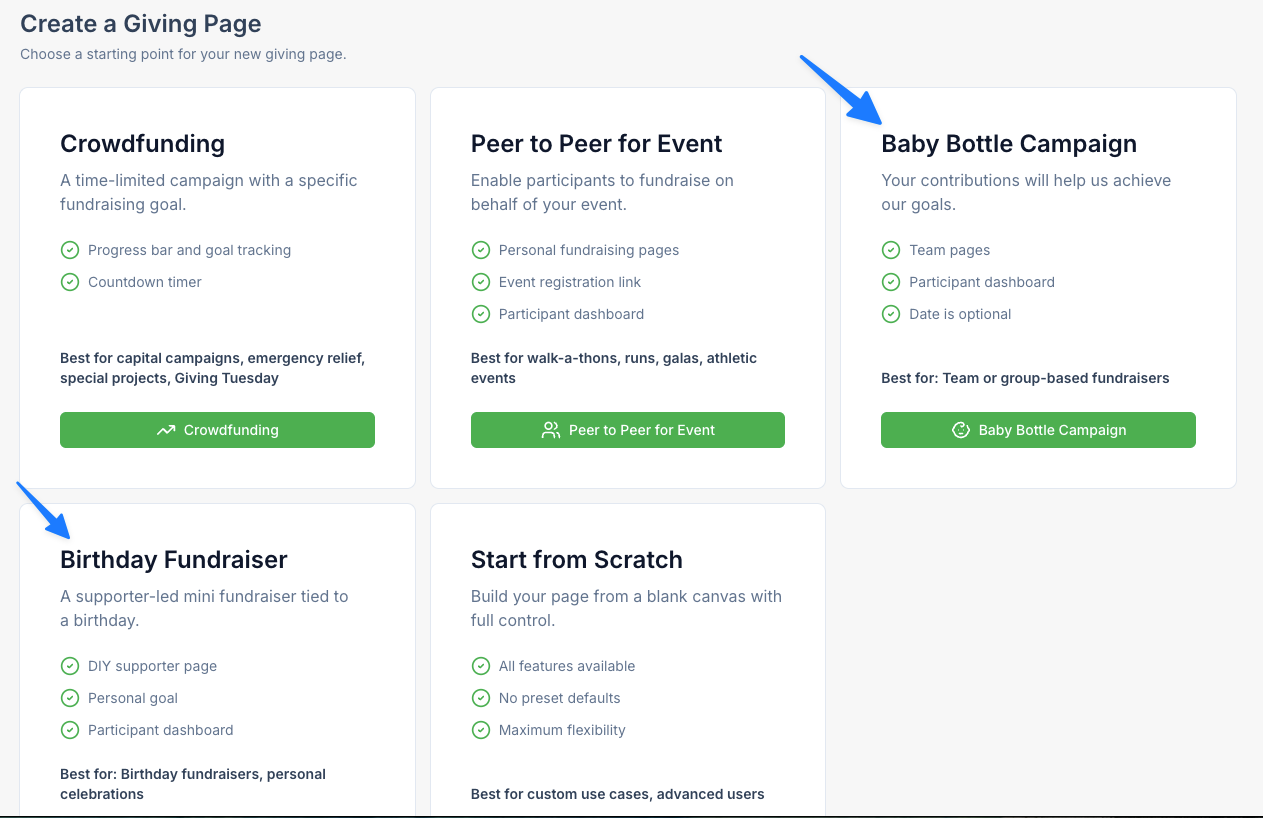
NEW Giving Templates: Baby Bottle Campaigns, Birthday Fundraiser

FundEasy now supports two new fundraising campaign templates that extend fundraising beyond the existing, event-based campaigns. Each template comes preconfigured with recommended goals, messaging, donation options, and participant settings, allowing organizations to launch a campaign in minutes without configuring every option manually. These campaigns can run independently of events, giving organizations more flexibility in how they engage supporters.

Baby Bottle Campaigns are designed for team-based fundraising, allowing churches, businesses, schools, or community groups to recruit participants under a shared fundraising goal. These campaigns use FundEasy's Peer-to-Peer model, enabling individual participants to create their own fundraising pages beneath the main campaign.

Birthday Fundraisers are built for individuals who want to raise money in place of receiving gifts. Unlike Peer-to-Peer campaigns, Birthday Fundraisers do not include teams or leaderboards, providing a simple, personal fundraising experience.

“Invite Participants” Feature

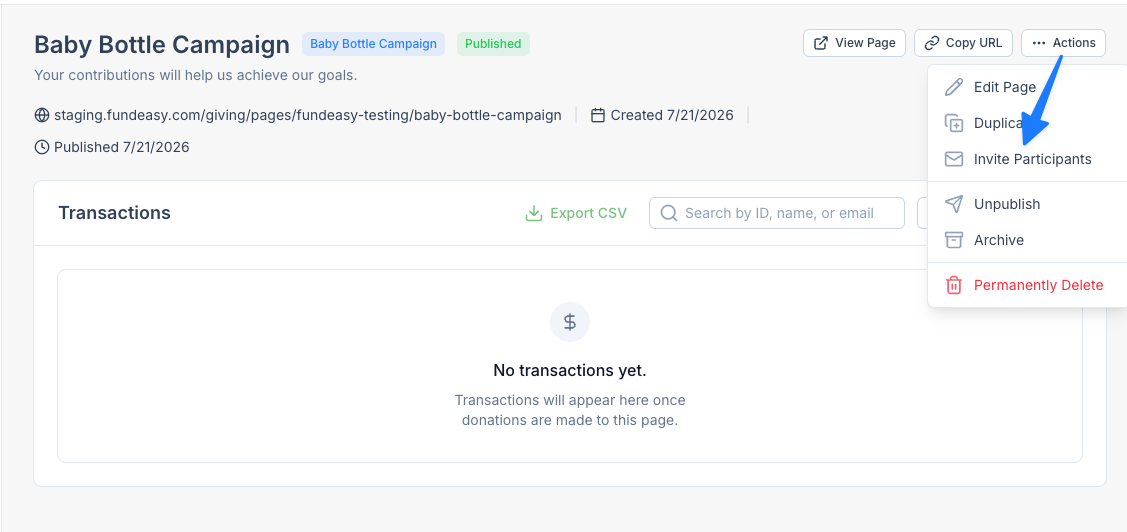
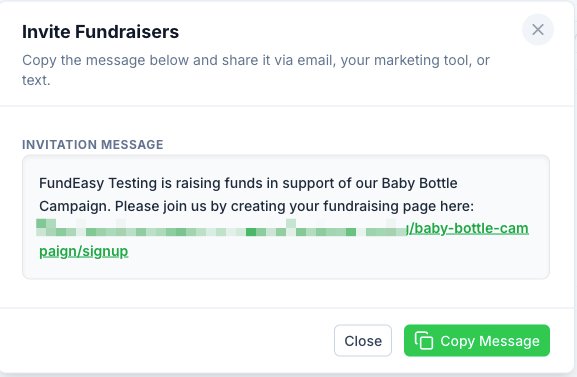
To support participant recruitment, every Peer-to-Peer Giving Page now includes a new Invite Participants action.

Admins can send supporters a magic-link email that takes them directly to the Create Your Fundraising Page flow, making it easier to recruit fundraisers. Participants can also invite friends and family to join their team directly from the Participant Portal, with invitation messaging that automatically adapts based on whether the campaign is associated with an event or is a standalone fundraiser.

Miscellaneous Bug Fixes and Improvements

  • Custom Questions: Now display consistently in Manage Registrants > Edit Registration, even if the guest did not initially answer the question OR the question was added after that specific individual registered.

  • Table Chart Seating for Pending Guests: Fixed a breaking issue where seating failed for groups with pending guests in non-Vision Dinner events.

  • Group Host Manager "Fill in Details" Error: Resolved a force-logout bug when table hosts filled in guest details.

  • "Invite People to My Team" Link: Team invite links now include the complete URL.

  • Email Link Preview in Group Host Manager: Preview now works when accessed via email link.

  • P2P Team Search Message: Updated messaging now explains that a requested team does not yet exist.

  • Logo Upload Display: Logos now correctly appear on the Organization Info page after upload.

Earlier updates