Enabling "Select Host Name" for Your Event
Written By Edith Henry
Last updated 28 days ago
For decades of FundEasy event planning, the “Select Host Name” feature has been a heavily used feature of Table Host events. This functionality allows event organizers to associate guests with specific hosts during the registration process. While not every event requires this setup, it is particularly useful for events that rely on host-based invitations or group tracking.
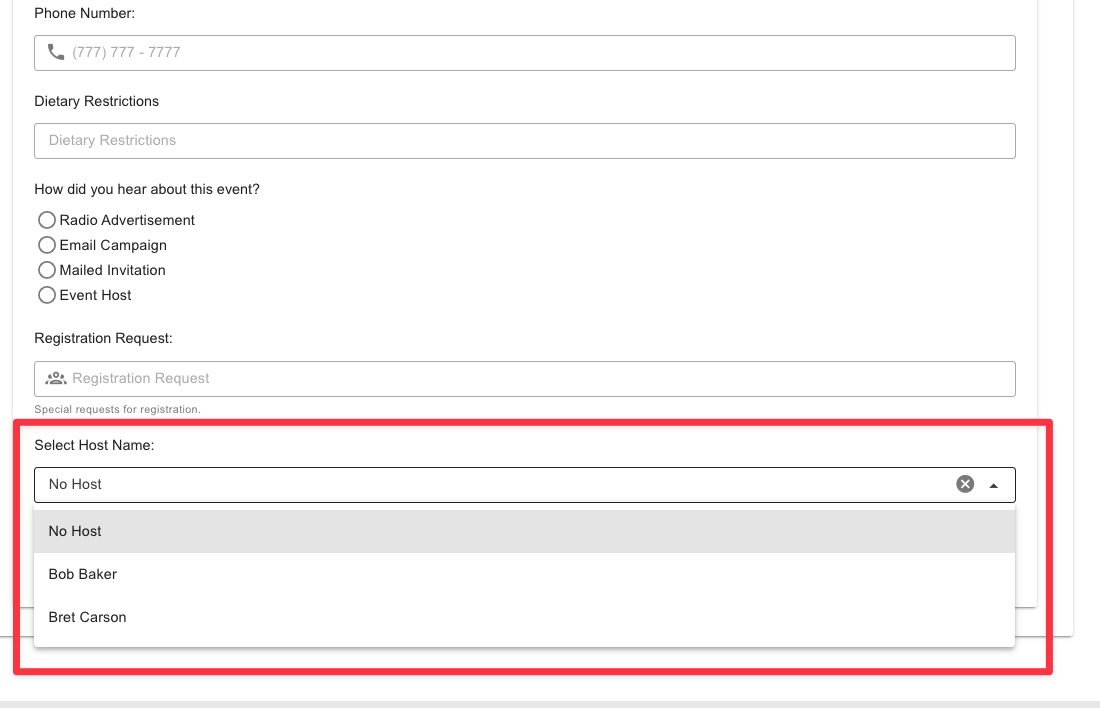
When enabled, the feature appears at checkout. Guests will see a “Select Host Name” dropdown at the bottom of the page, where they can choose the individual who invited them before completing their registration. Once selected, the system automatically links the guest to that host’s group—without you having to do any extra work in the backend!
It’s important to understand that this feature is now configured at the event level rather than within the form builder. This change was made to prevent system mismatches that could interfere with accurate data collection. Because the host selection impacts how registrations are structured and recorded, managing it at the event level ensures consistency across all associated forms and pages.
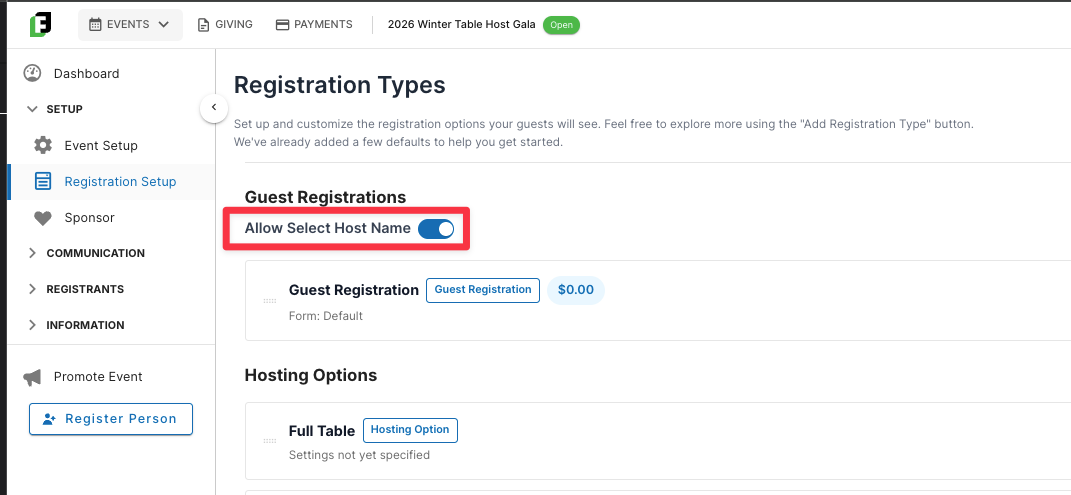
To control this feature, navigate to the event settings where you’ll find a dedicated toggle. Disabling the toggle removes the host selection option from all public-facing pages, while enabling it makes the feature available during checkout.