I Made a Mistake Setting Up My Processor
If you connected the wrong Stripe account or ran into an issue while setting up payments, you can disconnect your Stripe payment processor yourself — no need to contact Support. This lets you start the connection process over and connect the correct account.
Self-service disconnect is designed for initial setup. Once your Stripe account has processed at least one transaction, it can no longer be disconnected through the app, since doing so could affect your financial reporting and reconciliation history.
Before You Begin
You can disconnect your payment processor yourself only when:
Your organization has a Stripe account connected, and
No transactions have ever been processed through that account.
If your Stripe account already has transaction history, self-service disconnect is not available. See "If You Already Have Transactions" below.
How to Disconnect Your Payment Processor
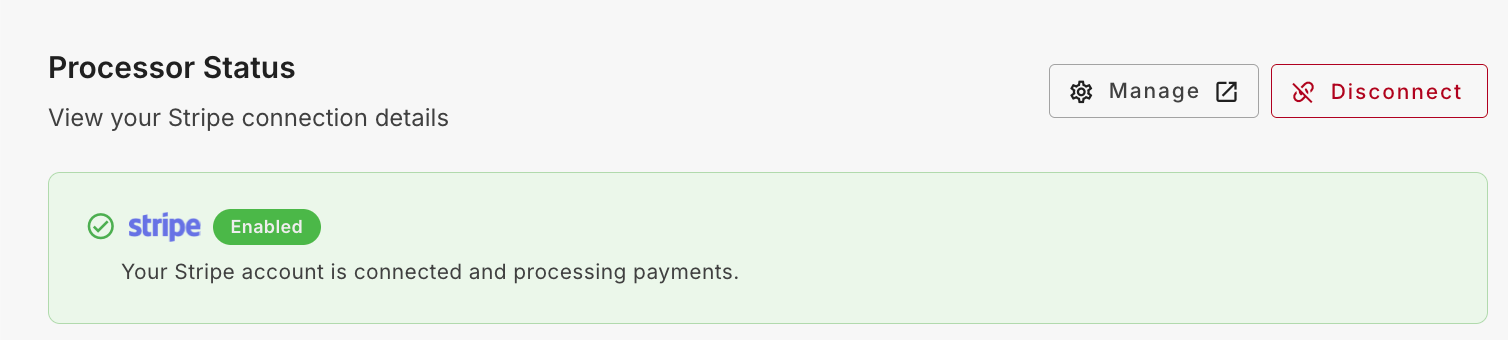
Go to Payments Settings in your organization's admin area.
Locate your connected Stripe account and select Disconnect.
Review the warning message and confirm you want to disconnect. You'll see a message similar to:
"Disconnect Stripe? This will remove your current Stripe account as your payment processor and stop all payment processing. Disconnecting this account will temporarily disable any published event pages with paid registrations, along with your donation forms. They will be re-enabled once a new payment processor is connected. To minimize disruption, we recommend connecting the new processor as soon as possible."
Confirm Disconnect. Your Stripe account is removed as the organization's payment processor.
What Happens When You Disconnect
Your Stripe connection is fully removed — both the Stripe account and the associated Stripe user.
Any published event pages with paid registrations, Peer-to-Peer pages, and donation/giving forms that depended on that processor are temporarily marked unavailable until a new processor is connected.
You can immediately begin reconnecting a payment processor — you don't need to wait or contact Support.
While your pages are unavailable, you'll see a prompt encouraging you to connect a new processor right away:
"Connect a new payment processor. Stripe has been disconnected. Your events no longer have a payment processor and cannot accept registration fees, donations, or any other payments until you connect a new one."
Reconnecting a Payment Processor
Reconnecting follows the standard payment processor setup flow. Once your new Stripe account is successfully connected:
Any registration forms, giving forms, and Peer-to-Peer events that previously used the old processor are automatically reassociated with the new processor.
Those pages are automatically re-enabled — no manual reassignment is required on your part.
Payment-enabled pages continue working normally once the new processor is connected.
If You Already Have Transactions
If your organization's Stripe account has processed one or more transactions, the Disconnect option in Payments Settings will be unavailable. Attempting to disconnect will show a message similar to:
"Can't disconnect Stripe. This account has [X] previous transactions on record. To preserve your financial history, processors with past transactions can't be disconnected. Need to switch payment processors? Contact Support to discuss your options."
This applies even if the processor is currently inactive or unused — transaction history always takes precedence over account status. If you need to switch payment processors after transactions exist, contact Support to discuss your options.
Frequently Asked Questions
Will disconnecting delete my past transaction data?
You can only disconnect a processor that has no transaction history, so there is no past transaction data to lose in this scenario.
What happens to my event and giving pages while I reconnect?
They're temporarily marked unavailable and cannot accept payments until a new processor is connected. We recommend reconnecting as soon as possible to minimize disruption.
I have transactions and need to switch Stripe accounts. What do I do?
Self-service disconnect isn't available in this case. Please contact Support to discuss your options.
Was this helpful?
Still need help? Ask the team