Sponsors and the Registration Setup
Written By Edith Henry
Last updated 7 months ago
When you go to your registration setup in a sponsored event, you will notice that there is a default sponsor option already created for your convenience. Before you do anything else, you’ll want to open the “Setup Sponsor Registration Type” to configure your sponsor settings for this event, including name and description.
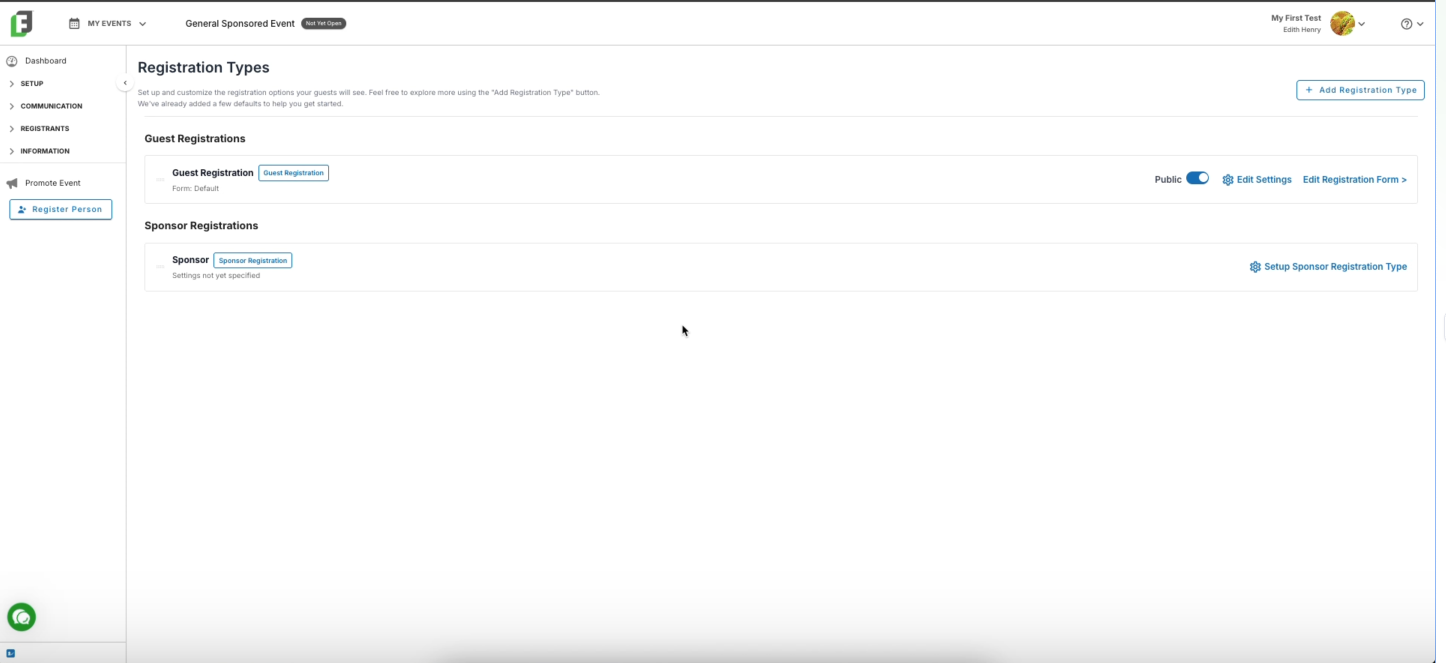
Notice that with sponsors, I can't use the “Add Registration Type” modal to create additional sponsor options. Sponsor features are either on or they're off; so you will only see one sponsor option and you won't be able to add additional registration types that are sponsors.
Inside the “Setup Sponsor Registration Type,” you’ll have the opportunity to customize the name and description of your sponsors to fit the event's theme. Default values are provided, but you can modify them as needed.
Once you save any changes, you'll then notice that you have new options available: turning your sponsor registration form public, editing your settings, or editing the sponsor information, which takes you to the Sponsor Form Builder.