Sponsors and Form Builder
Written By Edith Henry
Last updated 3 months ago
Sponsor Form Builder Features
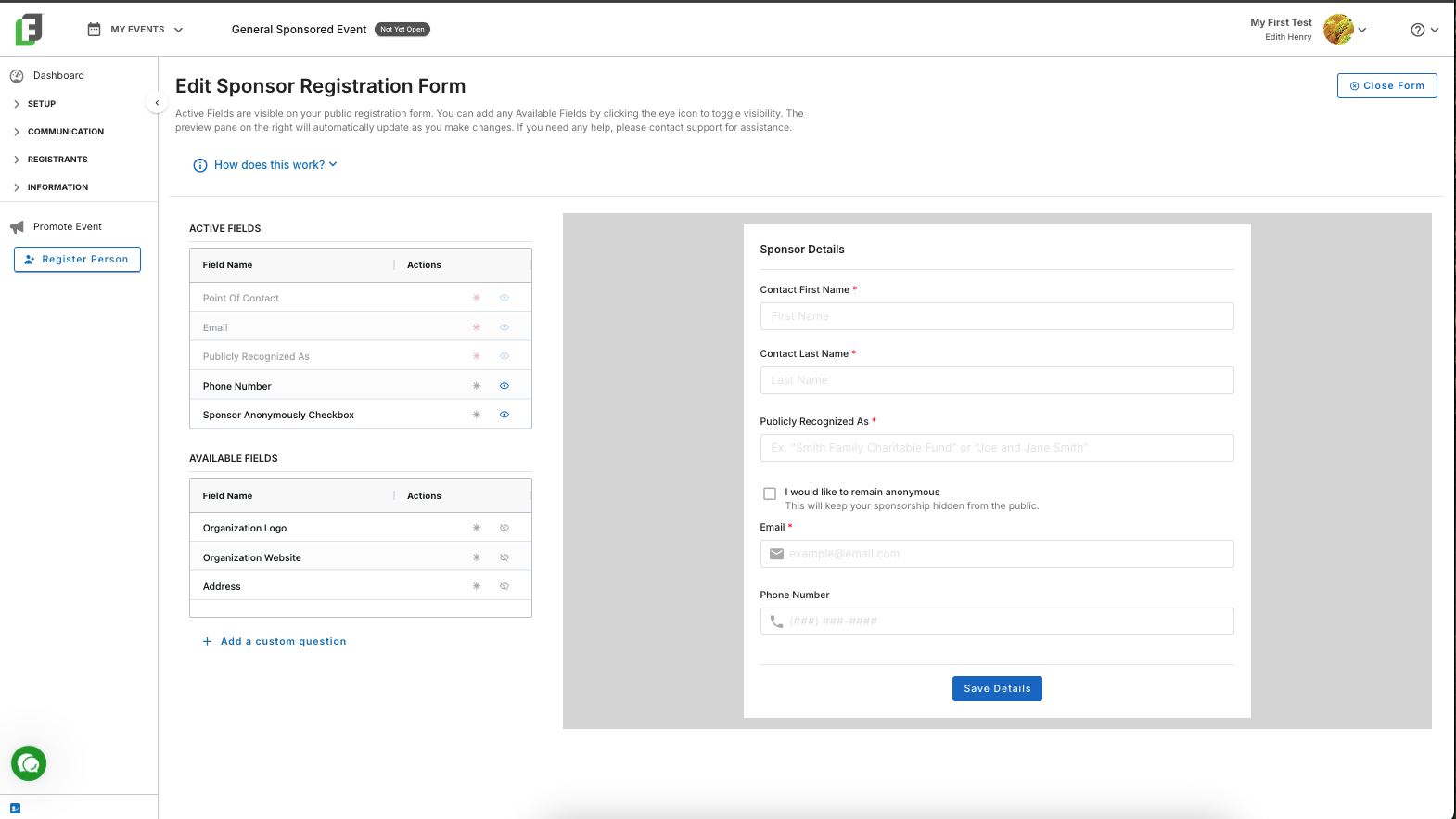
The Sponsor Form Builder includes essential fields for both organizations and individuals (such as Major Donors or Charitable Trust Funds):
Point of Contact (required)
Email (required)
Publicly Recognized As (required)
Phone Number
“I would like to remain anonymous” toggle
The “Publicly Recognized As” field indicates how you should publicly represent your guests. For example, John Smith might wish to be recognized as the “Smith Family Charitable Fund.” Additionally, the “Publicly Recognized As” field will be used for web and email templates in the event that no sponsor logo has been submitted.
Other optional preset form fields include these:
Option to request a logo
Option to request a website (note: if no website is provided, then FundEasy will not be able to track impressions and clicks).
An address field
Custom questions (asked specifically of sponsors)
The “I would like to remain anonymous” Toggle
If someone indicates on their sponsor submission that they would like to remain anonymous, then they are indicating that they do not wish to be publicly recognized (such as on any web or email templates).
To honor this preference, the FundEasy platform will automatically prevent these sponsors from becoming public. So even after a sponsor is approved, you will never be able to turn the visibility status to “Public.” Instead, you will also see an explanatory tooltip: “This sponsor has chosen to remain anonymous. Visibility cannot be changed.”
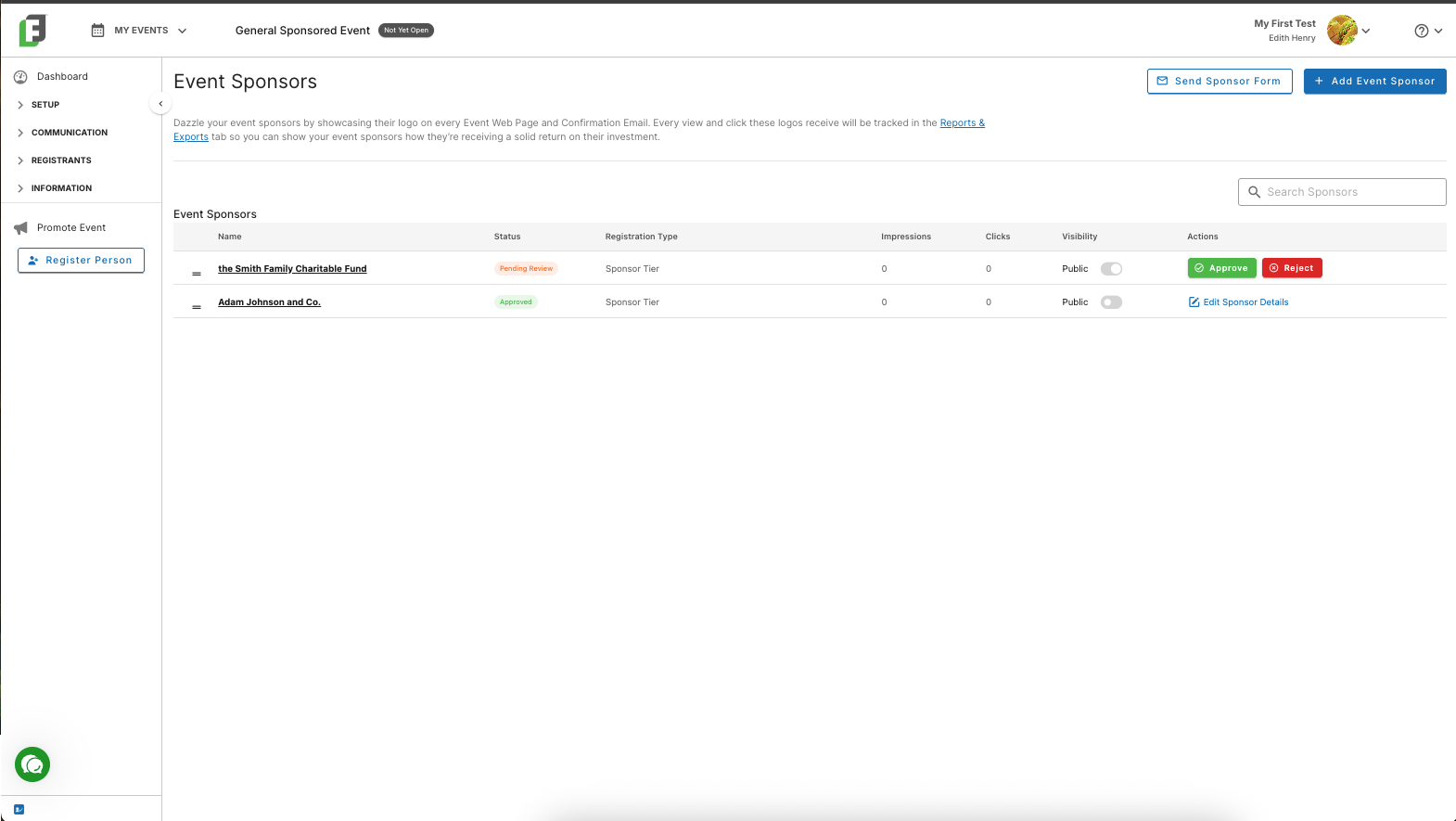
If someone once opted to remain anonymous, but now has contacted you that they would like their information displayed, you will first need to edit their sponsor details to turn that “anonymous” checkbox off.