The Host Manager Tool
Written By Edith Henry
Last updated 3 months ago
Overview
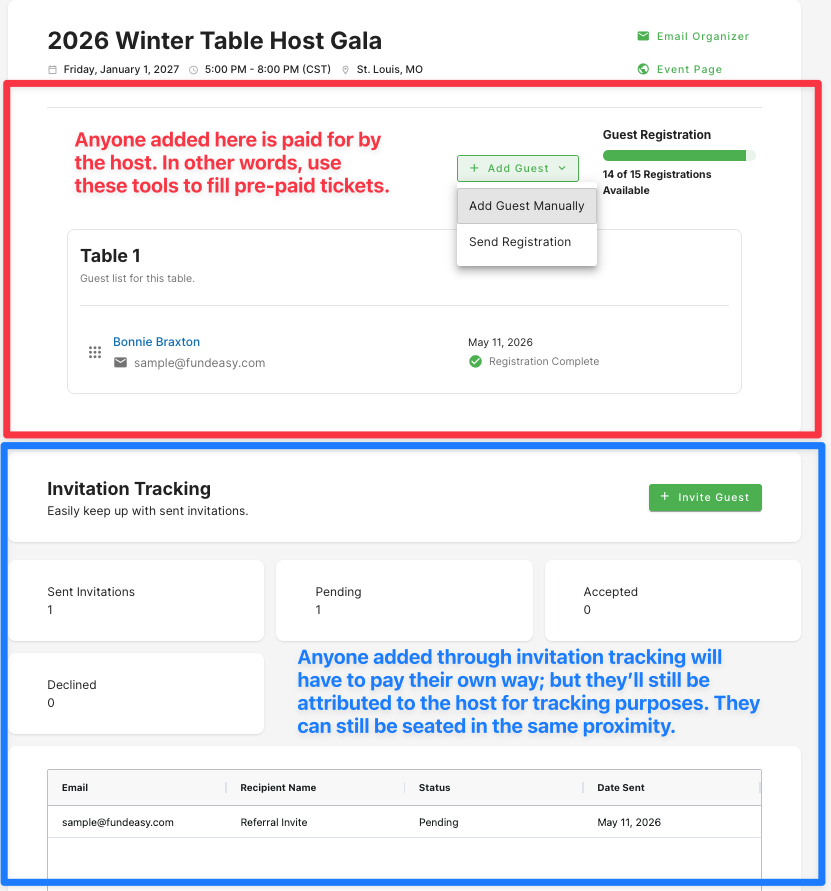
The Host Manager Tool is a centralized workspace for your Table Hosts to fill out their own table as well as register additional guests.
Everyone that the host registers through this tool will create a link to the host, allowing you to easily see who are your most effective event contacts to help you fill your event with quality guests!
How Hosts Access the Host Manager Tool
When a host registers for an event, they receive a confirmation email. This email contains a link to manage their guest list.
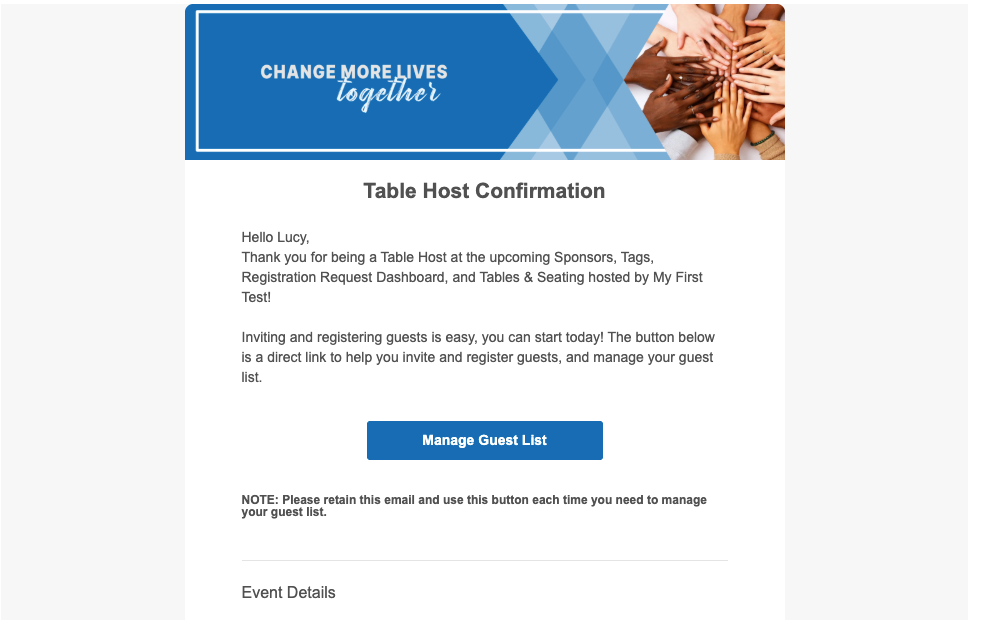
Hosts will need to refer back to this email in order to manage their guest list.
How Event Admins Can Access the Host Manager Tool
Sometimes, you may wish to access a table host’s Host Manager Tool—maybe you are wanting to screen share so that you can help answer a question, or maybe you want to check in at a glance to see how many people they have been inviting. Sometimes, a host may even request that you manually add a guest to their group, and this is a fast and convenient way for you to do that.
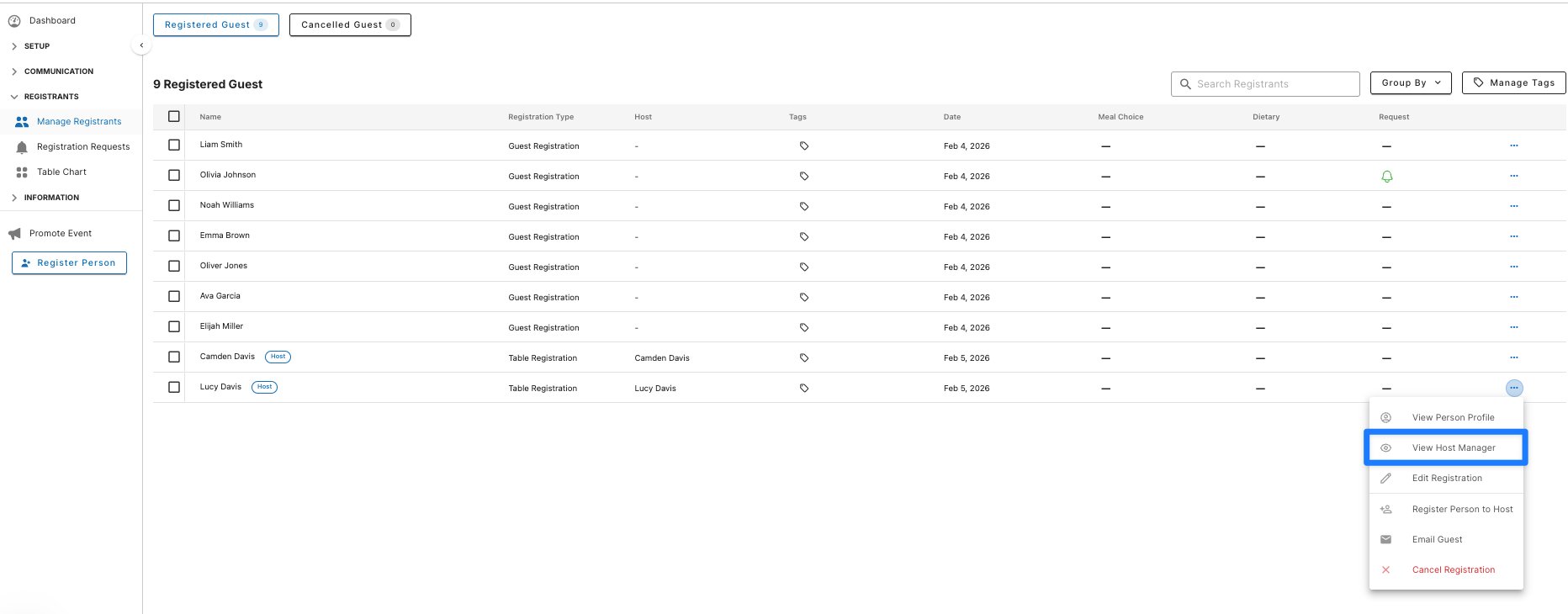
Admins can access the Host Manager Tool through the admin dashboard. Simply go to the hosts’s ellipsis menu from your main Guest List, and select “View Host Manager.”
The tool allows you to help a host as needed with managing their group.
Adding Guests through the Host Manager Tool
There are two methods to add guests:
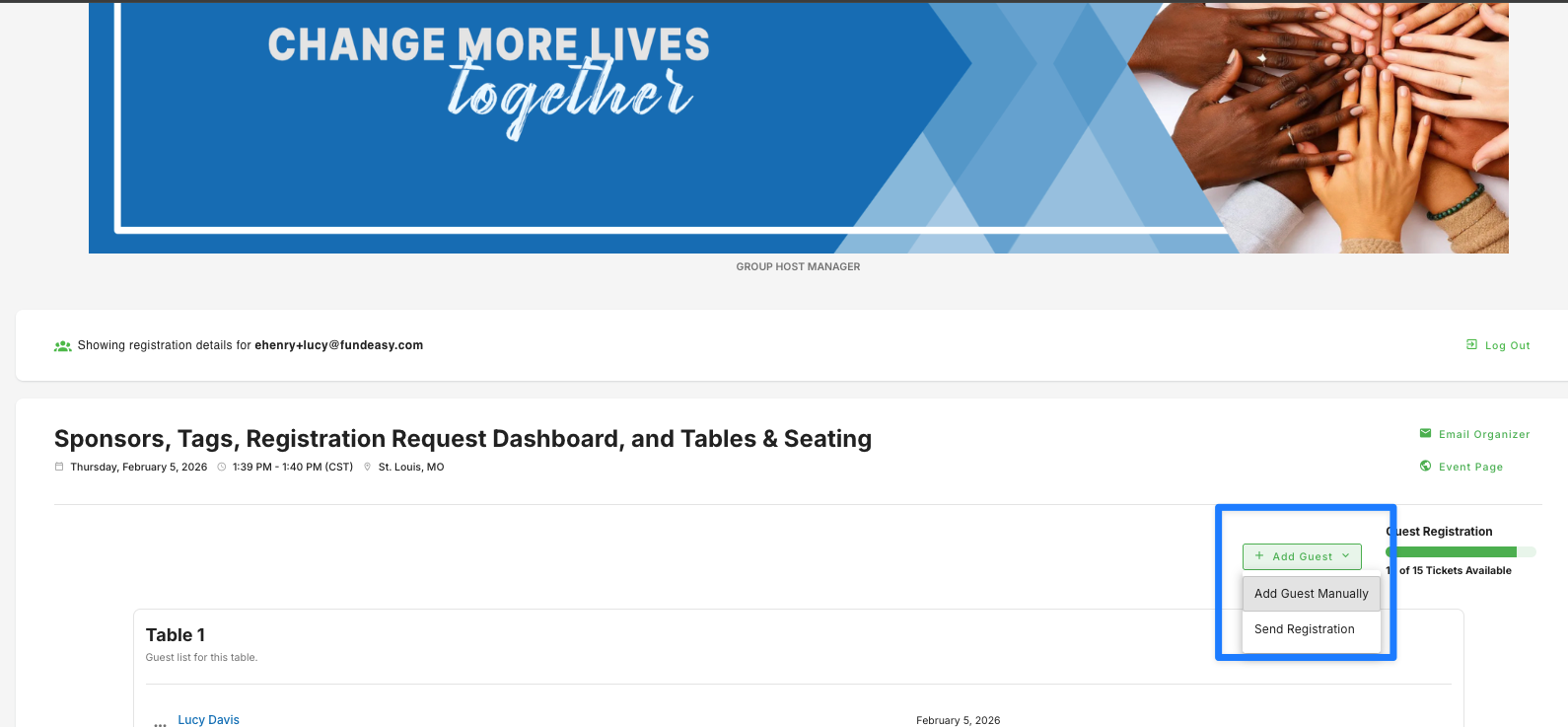
Manually: Admins can add guests directly by filling in their name and email address. No action is needed from the newly added guest (the host does everything for them).
Send Registration: Admins can send a registration email to a specific person, who will then fill in their details and add themselves to the order (the guest does everything for themselves, but they are still part of the host’s order).
Guests added in either of these two ways, they are included in the same order as the host. So for example, in a paid event where the host has already purchased the table, no guests added in either of these two ways will have to pay for their own ticket.
Inviting Guests through the Host Manager Tool
In addition to adding guests, table hosts can also invite new guests through their Host Manager Tool.
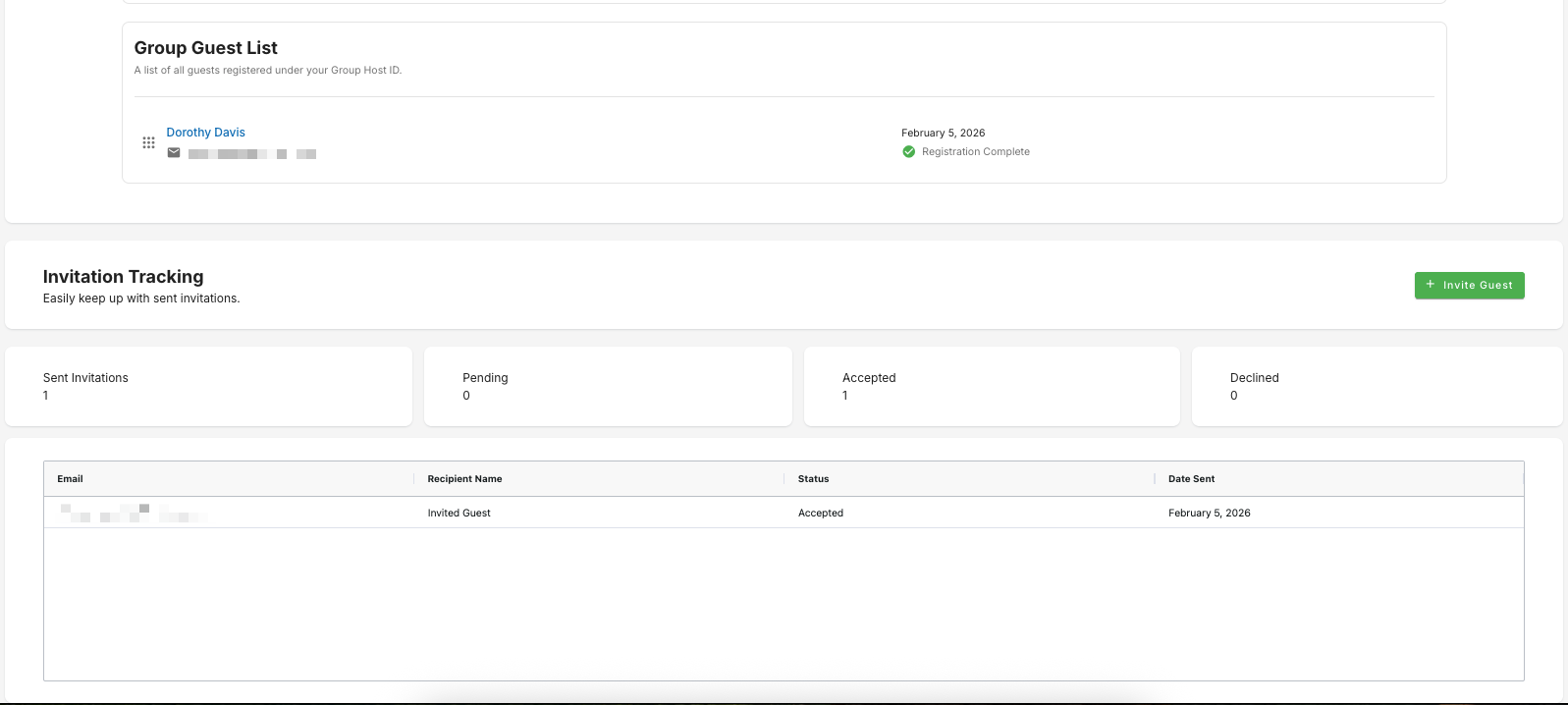
The 'Invite Guest' feature allows hosts to send invitations to an unlimited number of potential guests. We’ve made it easy for hosts, who can use the standard default invitation template that you created during account setup. We did the heavy lifting so that all hosts have to do is to fill in their email recipient list and add an (optional) custom message.
Invited guests will go through their own registration process after accepting the invitation (in other words, they are completing a new rather than an existing registration). Their registration will be recorded separately from the host's order, maintaining the integrity of ticket counts.
If the invited guest completes their registration, they will be logged separately in a guest list that is still associated with the host, but not part of the host’s personal order. In other words, invited guests complete their own separate registration flow and do not affect the host's order count (this is particularly important in paid events). In a Paid Event, invited guests will have to pay for their own ticket.
To Summarize the Host Manager Tool