Customizing Your Giving Pages
Written By Edith Henry
Last updated About 1 month ago
We understand that it’s important to be able to share your unique branding including colors, wording, donation suggestions, and more. So we’ve made this all possible!
Using the edit option of your giving page, you can customize all of the following:
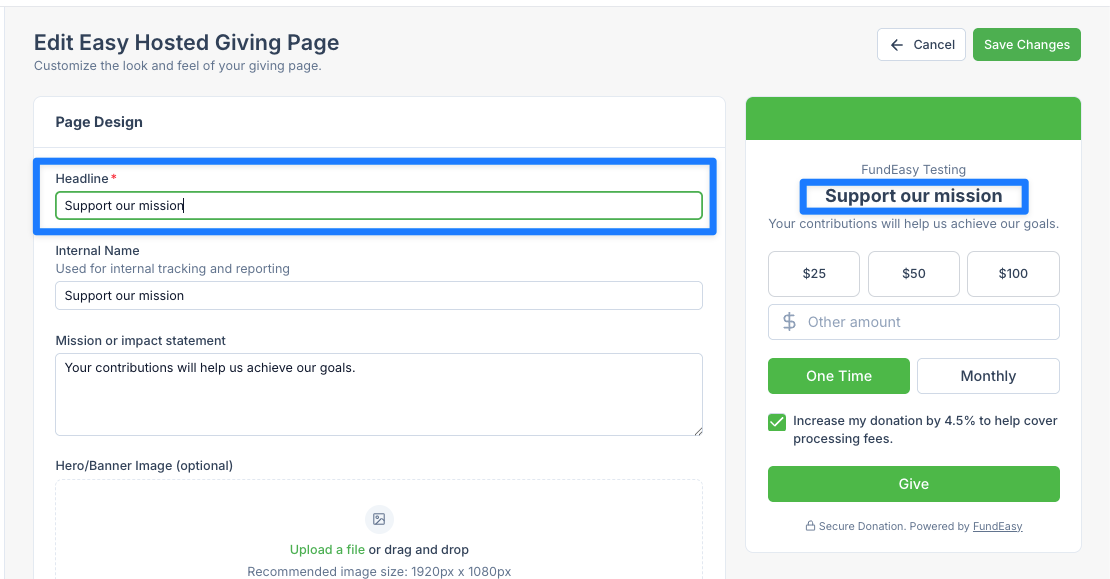
Headline
Use the headline to immediately communicate the purpose and impact of the campaign in a clear, compelling way. A strong headline should quickly answer “why this matters.”
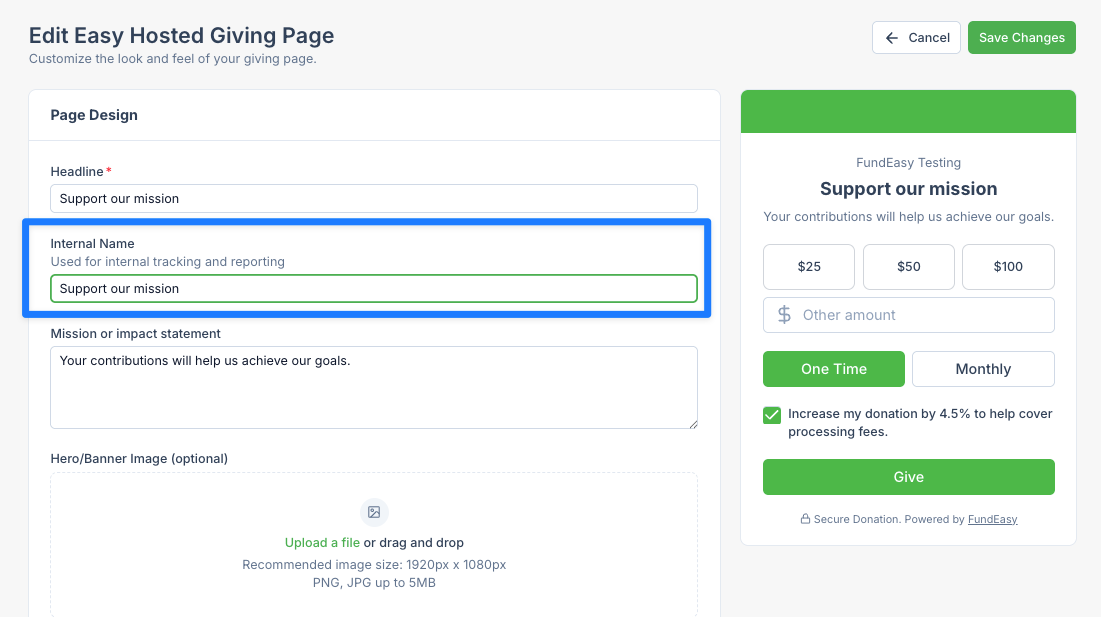
Internal Name
Use the internal name to keep your campaign organized behind the scenes, making it easy for your team to identify, track, and manage the page. Choose a clear, consistent naming convention that includes key details like campaign type, date, or audience. While donors won’t see it, a well-structured internal name helps avoid confusion and improves reporting and collaboration.
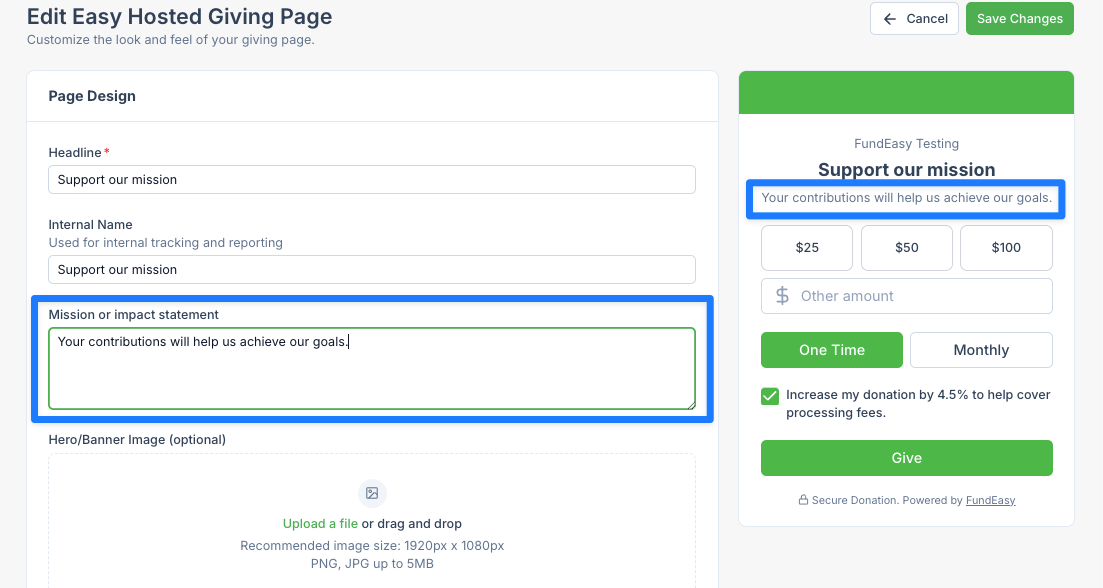
Mission or Impact Statement
Use the mission or impact statement to clearly explain the purpose of your organization and the real-world change donations will support. Focus on specific, tangible outcomes rather than broad or abstract goals so donors can understand exactly what their gift helps accomplish. Keep the tone authentic and centered on impact, helping visitors connect emotionally and logically to your cause.
Hero/Banner Image

Use the hero or banner image to create an immediate emotional connection and visually represent your mission at a glance. Choose a high-quality, authentic image that reflects real people, places, or outcomes tied to your cause rather than generic stock imagery. The best images reinforce your message and help visitors quickly understand the impact of giving before they read any text.
Video
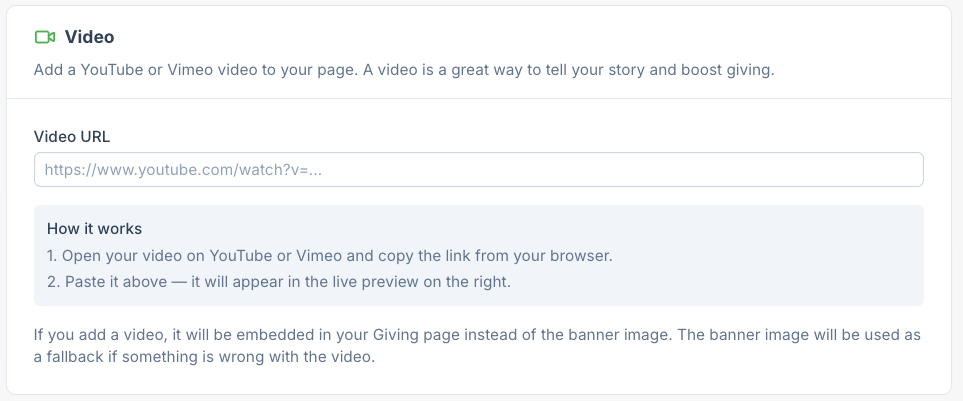
Use the video option to bring your appeal to life through storytelling that photos and text alone can't capture. Link to a short YouTube or Vimeo video that introduces your cause, features the people you serve, or invites supporters to give in your own voice, and it will appear in place of your banner image so it's the very first thing donors see. A genuine, personal video builds trust and emotional connection fast, often moving donors to give before they've read a single word of your page.
Accent Color
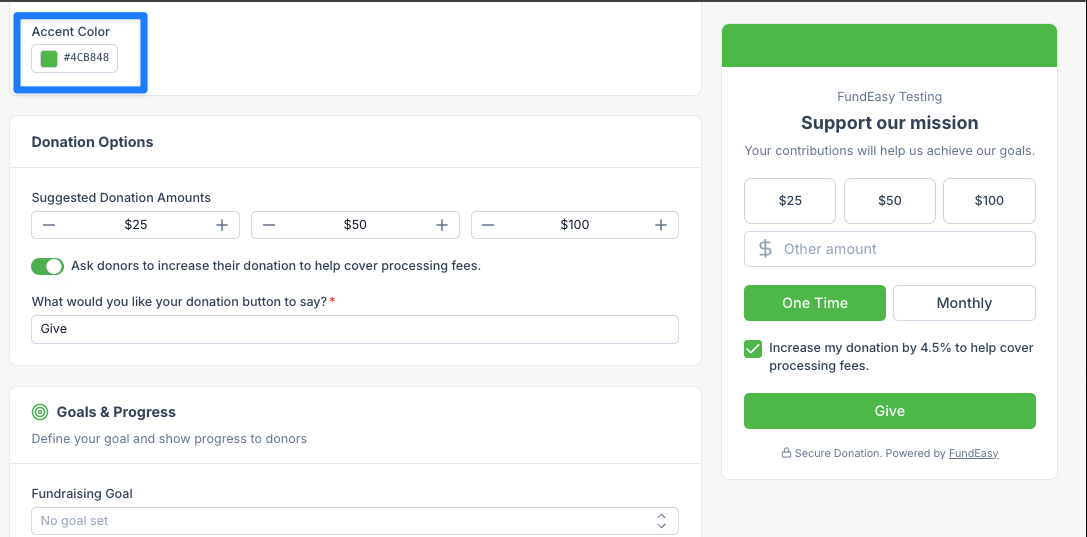
Use the accent color option to guide attention toward the key actions: selecting between one time and monthly, increasing the donation to cover fees, and completing the gift. and important elements, such as donation buttons, links, or highlights. Choose a color that complements your brand palette while providing strong contrast so these interactive elements are easy to spot.
Suggested Donation Amounts
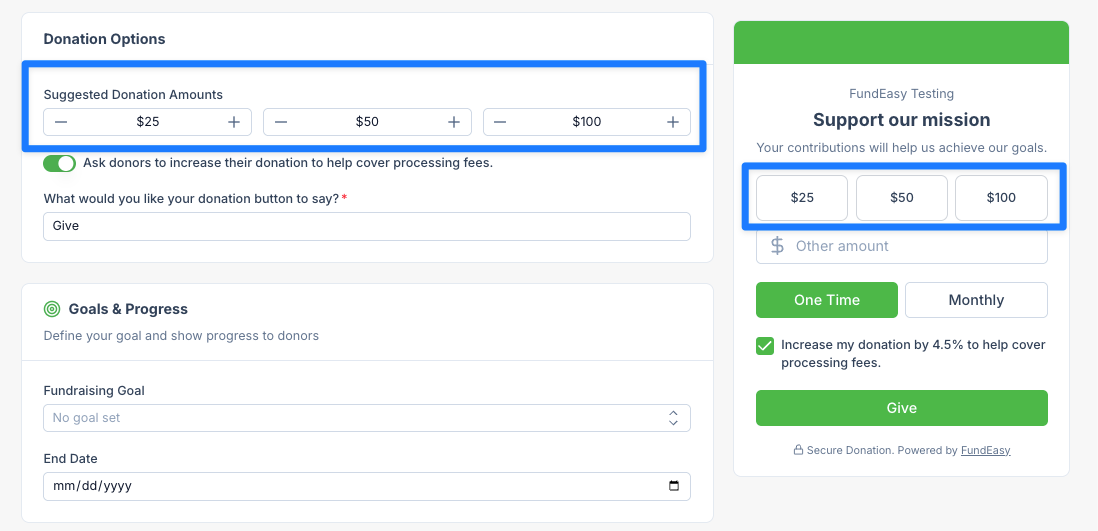
Use suggested donation amounts to help guide donors toward meaningful giving levels without overwhelming them with too many choices. Anchor the options around amounts that clearly connect to real outcomes or impact, so donors understand what each level achieves. Include a balanced range that accommodates different capacities while gently encouraging higher-impact gifts.
“Cover Fees”
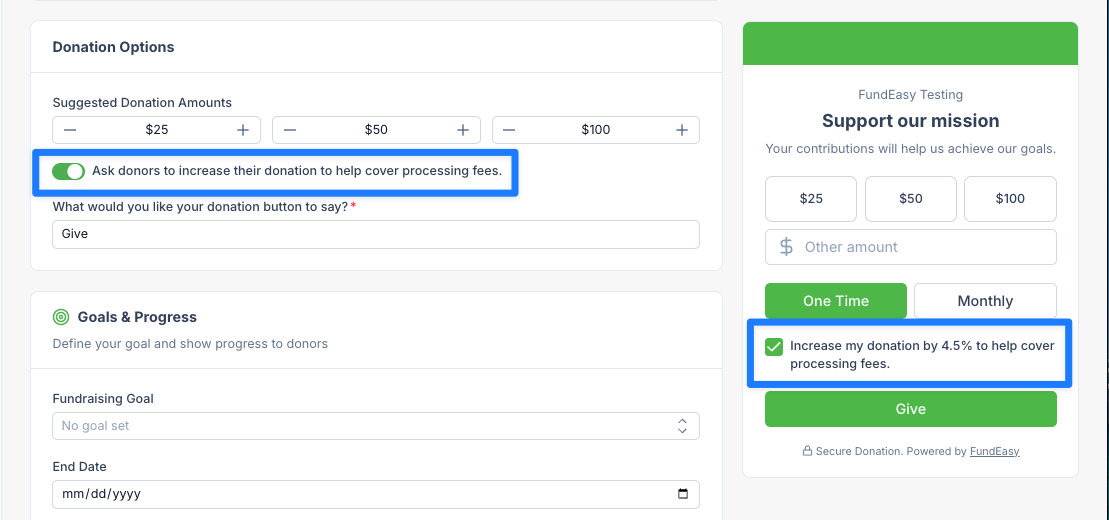
Use the cover fees option to give donors an easy way to offset processing costs. Present it as a simple, optional add-on during checkout so supporters can quickly understand its purpose and decide to contribute a little extra. When framed clearly, it can meaningfully increase net donations without adding friction to the giving experience.
Donate Button
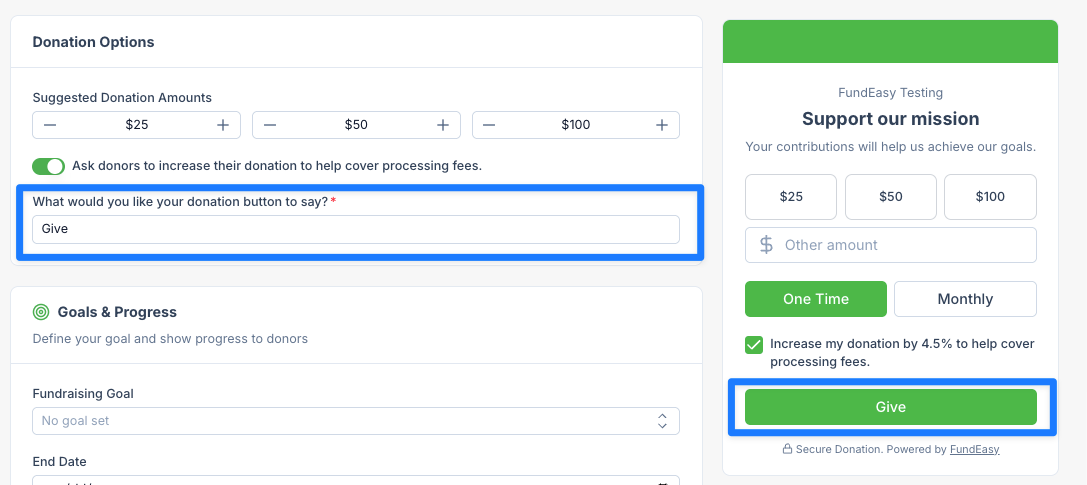
Choose donation button wording that is clear, action-oriented, and immediately communicates what will happen when it’s clicked. The goal is to make the action feel direct, confident, and easy to understand at a glance.
Goals & Progress Indicators
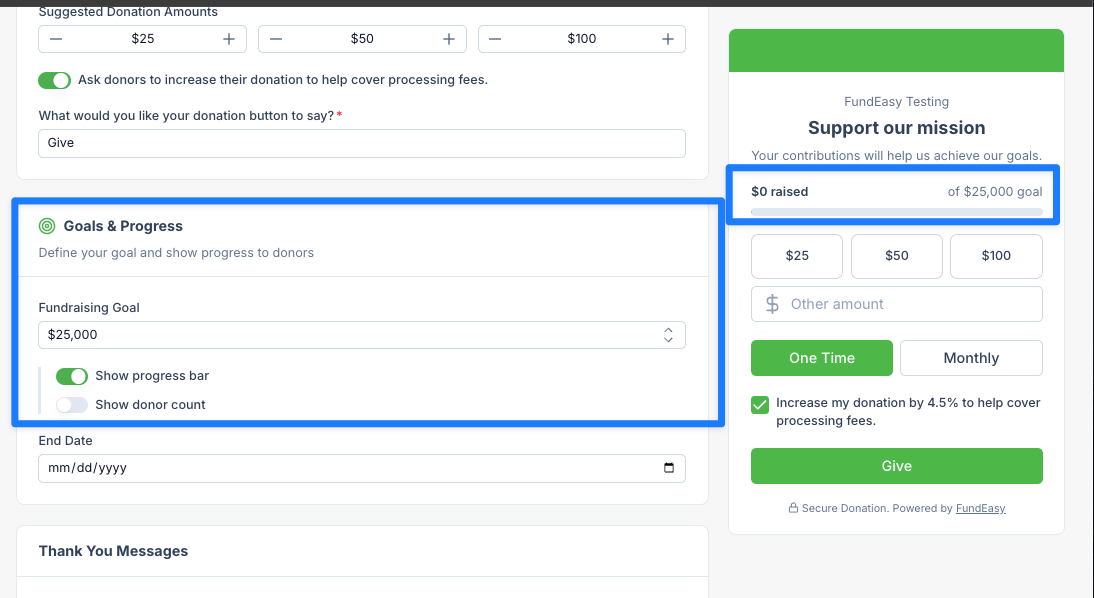
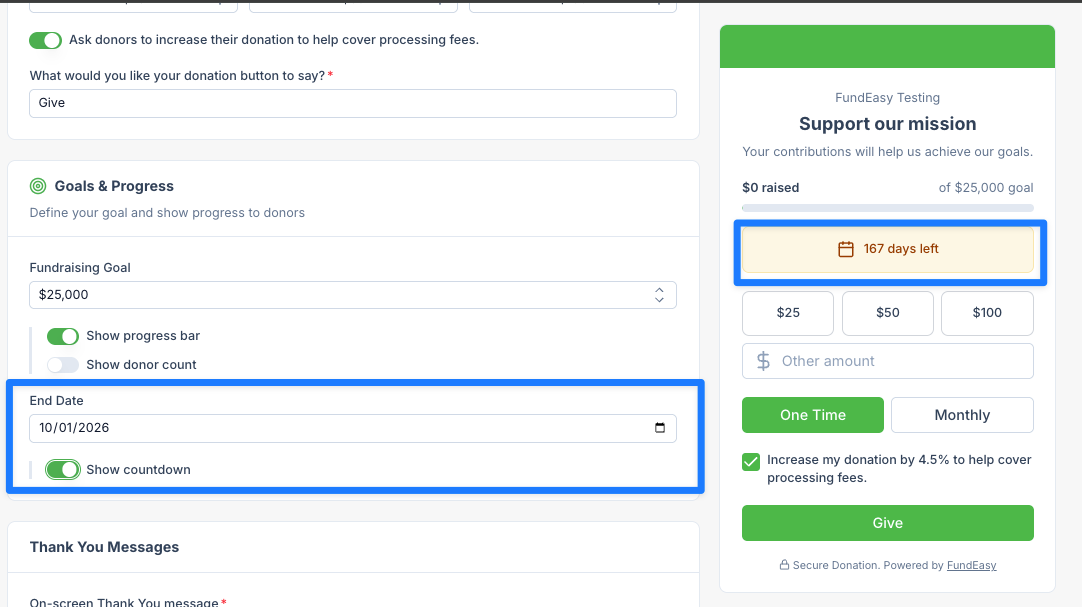
Use the fundraising countdown to dollar goal to clearly show progress toward a specific target, helping donors see how their gift moves the campaign closer to success. Pairing it with a countdown to the end date adds urgency by highlighting limited time, encouraging timely action without feeling forced. Together, they work best when the goal is realistic and updated in real time so donors can trust what they’re seeing.
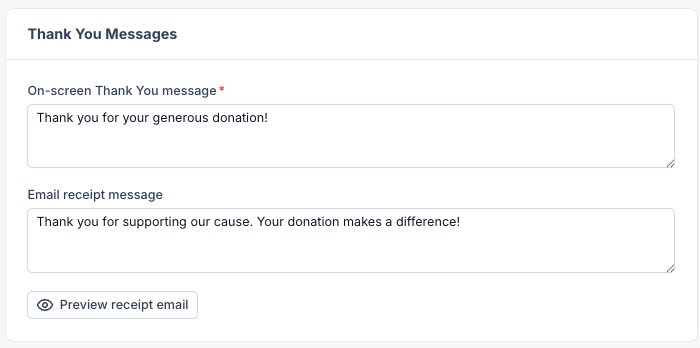
Thank You Messages
Use thank-you message wording to immediately acknowledge the donor’s contribution with warmth, clarity, and sincerity. Be specific about appreciation and, when possible, reinforce the impact of their gift so donors feel connected to the outcome. Keep the tone consistent with your organization’s voice while avoiding overly generic or automated phrasing.